
Is There Any Demo Account for Crypto Trading? Yes, 6 Options
Yes, several major platforms offer one. The harder question is whether a demo account will prepare you for live trading. A demo gives you a place to make those mistakes for free. But a demo also hides things that cost real money: slippage, partial fills, and the stress of watching actual dollars move.
This guide compares the main demo options, explains where demo and live trading diverge, and gives a step-by-step plan for moving to a live account. Prices below use real-time market data as of November 20, 2026.
What a Crypto Demo Account Is

A crypto demo account (also called paper trading or simulated trading) lets you place buy and sell orders with virtual money. The orders do not reach a real order book. You get a practice balance, a trading interface, and price feeds that track the live market.
Binance describes its Demo Trading feature as a way to practice with zero risk, according to the Binance blog. This model is common across exchanges. You use the same screens you would use live, but the balance is play money.
Two kinds of demo environments
- Exchange demo mode: a switch inside a real exchange account. You practice on the exchange's own interface and instruments.
- Charting-platform paper trading: a simulator attached to charts (TradingView). It is good for testing strategies on price data, but it does not replicate any one exchange's matching engine.
- Testnets: separate sandbox sites, often for derivatives. They are built mainly for API and bot testing.
Demo Account Comparison Table
Virtual balances, reset rules and expiry policies are set by each platform and change without notice. Where a figure is not fixed in public documentation, the table says so instead of guessing. Confirm the current numbers inside each platform before you start.
| Platform | Demo type | Instruments in demo | Virtual funds | Duration / reset | Mobile demo | Deposit needed |
|---|---|---|---|---|---|---|
| Binance | Demo Trading mode | — | Allocated in-app; amount set by Binance | Check in-app terms | Check in your app version | No |
| Bybit | Demo Trading mode | — | Requested in-app; amount set by Bybit | Check in-app terms | Check in your app version | No |
| OKX | Demo trading mode | Spot and derivatives | Allocated in-app; amount set by OKX | Check in-app terms | Check in your app version | No |
| Kraken | Futures demo environment | Derivatives only | — | Varies | Varies | No |
| TradingView | Paper trading on charts | — | — | — | Yes, via TradingView app | No |
| BitMEX | Separate testnet | Derivatives | Test funds | — | Browser-based | No |
No deposit requirement: demo modes run on virtual funds, so you can trade without depositing. Exchange demos usually need a registered account first. Identity checks vary by platform and region.
Real market data confirmation: exchange demos are designed to mirror live market pricing. Check the demo chart against a live price source such as CoinGecko for a few minutes before trusting it. Bitcoin, for example, trades at $61,990 in real-time market data as of November 20, 2026.
6 Demo Options Ranked by Use Case
This is not a quality ranking. It is a match between what you want to practice and the tool that fits. Rankings are based on the features each platform documents, not on hands-on scoring.
-
Binance Demo Trading: best for learning a major exchange interface
If you plan to trade on Binance, practicing there removes the interface learning curve. Use it to learn order types (limit, market, stop-limit), how margin and liquidation display, and how to read the order book.
-
Bybit Demo Trading: best for derivatives practice
It suits anyone who wants to understand perpetual contracts, funding rates and margin modes before risking capital.
-
OKX Demo Trading: best for testing several product types
It is useful if you want to compare spot, margin and derivatives behavior in one place.
-
TradingView Paper Trading: best for strategy testing on charts
TradingView lets you place simulated trades directly on a chart. This helps you test entries, exits and indicator rules across many pairs. It does not replicate a specific exchange's fees or liquidity, so build those costs into your own tracking.
-
Kraken Futures demo: best for futures-only practice
It is useful if you intend to trade Kraken futures specifically. Do not assume Kraken's spot product has the same demo; check before you rely on it.
-
BitMEX Testnet: best for API and bot testing
The testnet is a separate sandbox. It is a better fit for developers testing algorithmic strategies than for first-time traders, because the interface assumes derivatives knowledge.
How to Open a Demo Account
The exact menu names change, but the flow is similar on most exchanges:
- Register a standard account on the exchange. Use two-factor authentication from day one.
- Find the demo or testnet option. On exchange apps it is often in the account or profile menu, or a toggle on the trading page. Search the help center for "demo trading" if you cannot find it.
- Switch into demo mode. Look for a visible label or color change that tells you the balance is virtual.
- Claim or request the virtual balance if the platform requires it.
- Place a small test order of each type: market, limit, stop. Confirm how each fills.
- Compare the demo price to a live source for a few minutes.
Common errors: mixing up demo and live mode is an easy mistake to make. Always check the mode label before you place an order. Also, a demo balance does not carry over: virtual profits cannot be withdrawn, and virtual losses do not follow you.
Demo vs Live: The Execution Gap
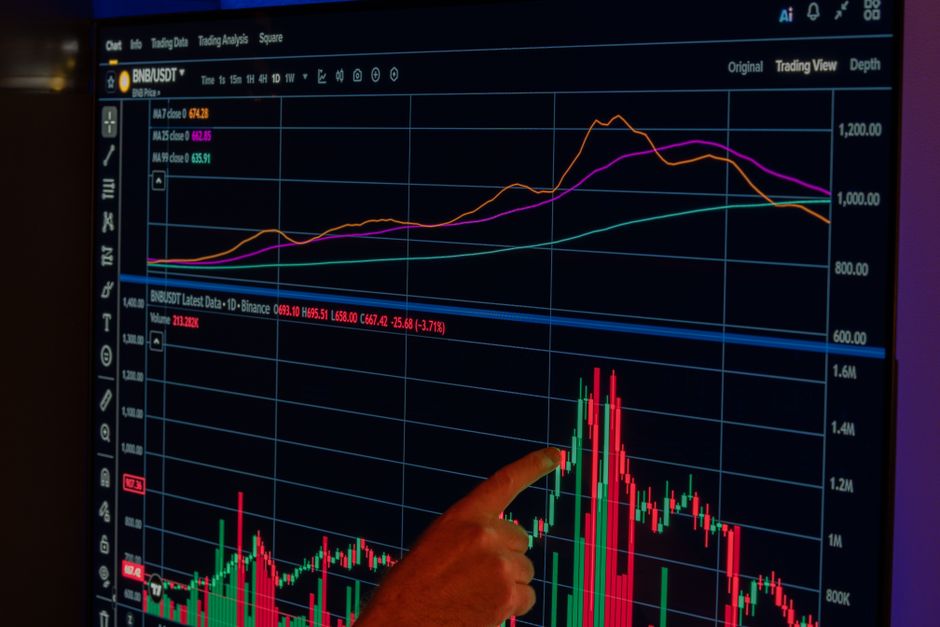
This is where most guides stop, and where the real money is lost. The gap has four parts.
| Factor | Demo account | Live account |
|---|---|---|
| Order fills | Often filled at the displayed price | Depend on the real order book and available liquidity |
| Slippage | Usually minimal or absent | Occurs, especially in fast markets and thin pairs |
| Partial fills | Rarely modeled | Possible on large limit orders |
| Market impact | None; your order moves nothing | Large orders can move the price |
| Fees | May be simulated, may not be | Maker/taker fees apply to every fill |
| Liquidation and funding | Simulated; rules may differ slightly | Enforced by the exchange risk engine |
| Emotion | Low stakes, low stress | Real losses change behavior |
A worked example of slippage (hypothetical)
Say you want to buy 0.5 BTC with a market order while Bitcoin sits at $61,990. The notional value is $30,995. If the live order book is thin and your average fill lands 0.1% worse, you pay about $31 more than the demo would have shown. On a 3% profit target that is a visible dent. Demo trading will not show this, so assume a cost buffer when you judge demo results.
Execution speed matters for the same reason. A demo may respond instantly, while live orders face network latency and matching delays. No public figure fits every exchange, so judge this with small live orders rather than trusting the demo.
Moving From Demo to Live: A Staged Plan
Do not jump from a large virtual balance straight to a large real one. Move in stages.
| Stage | What to do | Pass condition |
|---|---|---|
| 1. Mechanics | Place every order type in demo; practice stops and take-profits | You can place any order without checking the help page |
| 2. Rules | Write a rule set: entry, exit, max risk per trade | You follow the rules on every demo trade for several weeks |
| 3. Journal | Log every trade with reason, result, and mistakes | Results are tracked after estimated fees and slippage |
| 4. Small live | Fund an amount you can afford to lose entirely | Live fills and fees match your cost buffer |
| 5. Scale | Increase size only after consistent rule-following | Size grows slowly, never right after a win streak |
Size your first live trade from risk, not hope
Pick a risk per trade, for example $100 on a small live account. If your stop-loss is 3% below entry, position size is $100 divided by 0.03, which is about $3,333 of exposure. At a Bitcoin price of $61,990, that is roughly 0.054 BTC. This arithmetic is the same in demo and live, so practice it in demo until it is automatic.
Reproduce live conditions in demo
- Set your demo balance to the amount you would actually fund. A $1,000,000 virtual balance teaches nothing about a $500 account.
- Deduct estimated fees from every trade manually if the demo does not apply them.
- Add a slippage allowance to every entry and exit.
- Avoid margin multipliers you would not use live.
Beginner Psychology and the Learning Curve
Demo trading is easy to treat like a game. Virtual losses sting less, so people take oversized bets and hold losers longer than they would with real money. The result is a performance record that is not credible.
The fix is to treat the demo like a job. Use fixed risk per trade, stop trading after a set number of losses in a day, and keep the journal. Behavioral research on retail trading is mixed, so avoid taking any single claim as proof. A rule-based demo routine at least builds the habits that hold up when real money is at stake.
Demo limits you should know
- Time limits and resets: policies differ by platform and can change. Some environments reset balances or testnets, so do not store long-term records only inside the platform. Export or screenshot your results.
- Different instruments: a feature available in live trading may not be available in demo mode. Check the instrument list before you plan a strategy.
- Virtual fund size: amounts differ by platform. A bigger virtual balance is not an advantage if it hides how little real capital you have.
- Mobile parity: confirm the demo works in the app you will use live, not only on the desktop site.
What Experienced Traders Check Before Going Live
One common problem is copying a demo strategy that relied on perfect fills. Before funding, an experienced trader checks the live fee tier, the spread on the pair, and how deep the order book is at the size they plan to trade. Maker orders usually cost less than taker orders on most exchanges, so a limit-order strategy tested in demo should be re-tested live. Securing the account with two-factor authentication and an anti-phishing code is standard practice before the first deposit. A good next step is to read a guide on how to buy Bitcoin safely, then start with one pair rather than five.
Demo-to-Live Transition Checklist
Copy this list into a notes app or print it before your first live deposit.
- I can place market, limit and stop orders without help.
- My demo balance matched the real amount I plan to fund.
- I tracked fees and slippage on every demo trade.
- I followed my written risk rule on every trade for several weeks.
- I kept a journal with reasons and mistakes.
- I confirmed the platform is available and legal in my region.
- Two-factor authentication is on.
- My first live position is small enough that a total loss will not hurt.
- I know the live fee tier and typical spread on my pair.
- I have a stop-trading rule for bad days.
For related reading, see our crypto paper trading strategy guide, the primer on crypto futures trading for beginners, and a comparison of the best crypto exchanges for beginners. If you also trade equities, there is a parallel stock paper trading guide. Browse the complete fintech guide or more trading articles for the wider picture.
FAQ
What is a demo account for crypto trading?
It is a practice account that uses virtual money and live-style market prices. You place simulated orders on a real platform interface without risking capital.
Is there any demo account for crypto trading that needs no deposit?
Yes. Exchange demo modes and TradingView paper trading run on virtual funds, so no deposit is needed to practice. You may still need to register an account.
How to use a demo account to prepare for live trading?
Set the virtual balance to your real planned size, apply fixed risk per trade, deduct estimated fees and slippage, and keep a journal. Then move to a small live account before scaling.
Is it safe to use a crypto demo account?
Yes, because no real funds are at risk. Stay alert for fake "demo" sites that ask for deposits or wallet connections. Use only the official exchange or platform site.
Why do demo results differ from live results?
Demo fills often skip slippage, partial fills, market impact and emotional pressure. Live trading includes all four, which is why results usually look worse after the switch.
Do crypto demo accounts expire?
Policies differ by platform. Some environments reset balances or testnets, and terms can change. Check the platform's help page and keep your own records.
Disclosure: XPERTRAX (xpertrax.com) is an affiliated platform. Links and pop-ups pointing to xpertrax.com promote it. This article is for information only and is not financial advice.