
Crypto and Forex Paper Trading App: How to Choose One
Many live-trading mistakes cost nothing to make in a simulator: oversized positions, no stop, trading through news. A paper account lets you make those mistakes for free. With Bitcoin at $64,627 and Ethereum at $1,816 (real-time market data as of November 18, 2026), crypto still moves fast enough to wipe out a careless account in days. Forex adds leverage on top. This guide covers six practice options, what each can and cannot simulate, and a structured way to use them.
What a paper trading app actually does

Paper trading is simulated trading that lets you practice buying and selling without risking real money. In a crypto and forex setting, the app gives you a virtual balance, shows market prices, and records hypothetical fills, profit and loss, and margin use.
The mechanics are the same across most products:
- Virtual balance: You start with play money. Some apps let you reset or resize it.
- Price feed: Quotes come from live or slightly delayed market data, depending on the provider and your account type.
- Simulated matching: The app fills your order at its own rules, usually at the quoted bid or ask. It does not test your order against a real order book.
- Performance record: A trade log or account history shows results you can review.
Crypto trades 24/7, while spot forex runs around the clock from Monday to Friday. A good practice routine covers both: weekend crypto moves behave differently than forex gaps at the Sunday open.
6 paper trading options for crypto and forex
The list below is ordered by use case, not by ranking. Availability, instruments, and features vary by country and by account type, so confirm on each provider's official site.
-
TradingView paper trading
A simulator built into its charting platform. You place practice orders directly from charts of crypto pairs and forex pairs. Best for practicing technical analysis and entry and exit discipline. Limitation: fills are simulated, so slippage and liquidity are not modeled the way a live exchange would behave.
-
MetaTrader 4 and MetaTrader 5 demo accounts
Brokers that offer MetaTrader let you open a demo account with virtual funds. Forex is the core use. Crypto availability depends on the broker, and where offered it is usually as CFDs rather than owned coins. MetaTrader 5 includes a Strategy Tester for running automated strategies on historical data. Limitation: demo conditions are set by each broker, so spreads and execution can differ from live.
-
Binance Spot and Futures testnets
They are aimed at developers building bots and integrations, not at beginners who want a polished app. Best for validating API order logic. Limitation: test markets are not a copy of live liquidity, so price behavior can look unrealistic.
-
eToro virtual portfolio
Limitation: product availability differs by region, so check what your jurisdiction can access.
-
OANDA practice account
Best for learning order types, margin, and pip-based risk on currency pairs. Limitation: crypto coverage depends on region and product, so verify before relying on it for coin practice.
-
Interactive Brokers paper trading account
Forex is supported. Crypto access varies by region and account type. Limitation: setup is more involved than consumer apps, and the interface has a steeper learning curve.
Comparison table
| Option | Forex practice | Crypto practice | Best for | Main limitation |
|---|---|---|---|---|
| TradingView paper trading | Yes, via chart symbols | Yes, via chart symbols | Chart-based strategy practice | Simulated fills only |
| MetaTrader 4/5 demo | Yes | Depends on broker | Execution and automated strategies | Conditions set by broker |
| Binance testnets | No | Yes | Bot and API testing | Developer-oriented, unrealistic liquidity |
| eToro virtual portfolio | Where available | Where available | Beginners on mobile | Regional availability varies |
| OANDA practice | Yes | Varies by region | Forex risk and margin practice | Crypto coverage varies |
| Interactive Brokers paper | Yes | Varies by region and account | Rehearsing on the live platform | Steeper setup and interface |
How to evaluate an app before you commit
Ask these questions before spending a week on any simulator:
- Does it list the instruments you will trade live? If you plan to trade EUR/USD and Solana, confirm both exist in the practice environment.
- Is it connected to the broker or exchange you will use? Practice on the same platform you will fund. Order tickets, margin screens, and stop behavior differ between platforms.
- Does it model leverage and margin calls? A simulator that ignores margin teaches the wrong habits for forex.
- Can you set your own starting balance? Practice with an amount close to what you will actually deposit. A million-dollar virtual account trains reckless sizing.
- Does it export or display a trade history? Without a log you cannot review mistakes.
- Is the price feed live or delayed? Delayed data is fine for swing practice and bad for scalping practice.
Check your local regulator's rules too. You can compare what your simulator quotes against a public price aggregator.
Position sizing practice with real numbers
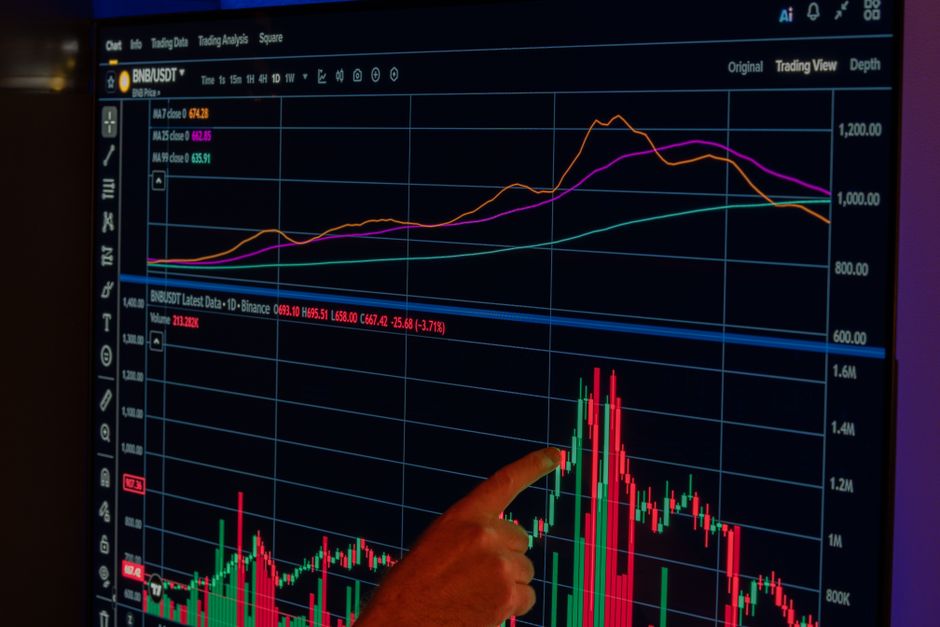
The most useful thing paper trading teaches is sizing. Here is a worked example. The numbers are a hypothetical exercise, not a recommendation or a forecast.
| Step | Crypto example (BTC) | Forex example (USD-quoted pair) |
|---|---|---|
| Virtual balance | $10,000 | $10,000 |
| Risk per trade (1%) | $100 | $100 |
| Stop distance | 3% below entry at $64,627, about $1,939 | 25 pips |
| Position size | $100 / $1,939 = about 0.0516 BTC | $100 / 25 pips = $4 per pip, or 0.4 standard lot |
| Notional exposure | About $3,333 | About 40,000 units of base currency |
BTC price is from real-time market data as of November 18, 2026. The forex row uses the standard convention that one pip on a 100,000-unit lot is worth $10 on pairs where USD is the quote currency. Practice this calculation until you do it before every order without thinking. Our guide to position sizing calculator methods covers the formulas in more depth.
What simulation cannot teach you
- Slippage: Fast markets fill you at worse prices than you clicked. Most simulators fill at the quote.
- Partial fills and thin books: Smaller altcoins like Cardano at $0.1538 or Polkadot at $0.74 can have wide spreads on some venues. A simulator rarely reproduces that.
- Emotion: A $100 virtual loss feels like nothing. A $100 real loss on a small account does not. Expect to behave differently live.
- Funding and fees: Perpetual futures funding rates and forex swap charges may be modeled badly or not at all. Read the product documentation.
- Platform outages and rejected orders: Real exchanges and brokers go down at volatile moments. Demo servers seldom fail at the same time.
Editor notes: common errors and fixes
These are the mistakes that most often make paper results meaningless. Each has a fix you can apply today.
| Error | Why it distorts results | Fix |
|---|---|---|
| Starting with an unrealistic balance | Position sizes and risk habits do not transfer to your real account | Reset the virtual balance to your planned deposit |
| Skipping stop-loss orders | Open losses never get realized, so drawdowns look small | Require a stop on every order and log it before entry |
| Cherry-picking winning trades | Overstates performance | Review the full account history, not screenshots |
| Ignoring spreads and fees | Short-term strategies look profitable when they are not | Subtract estimated costs from each trade manually if the app does not |
| Trading only in calm markets | The strategy is never stress-tested | Include a high-volatility week and a major news release in the sample |
| Moving to live trading after a short winning streak | Sample is too small to mean anything | Set a minimum trade count and a maximum drawdown before you graduate |
A reasonable graduation rule: write your strategy as a checklist first, trade it on paper for a fixed number of trades you decide in advance, and start live with a small fraction of your intended capital. Keep the paper account running in parallel for comparison. If live results diverge sharply from paper results, your fills, costs, or discipline differ from the simulation, and that gap is the thing to investigate.
Citation summary
FAQ
What is a crypto and forex paper trading app?
It is software that lets you trade crypto pairs and currency pairs with virtual money. It uses live or delayed market prices and records simulated profits and losses so you can practice without financial risk.
How to start paper trading crypto and forex?
Choose a platform that lists the markets you want, open a practice or demo account, set a virtual balance close to your planned real deposit, and write down your entry, exit, and risk rules before the first trade. Log each trade and review weekly.
Is it safe to use a paper trading app?
Practice accounts use virtual funds, so you cannot lose deposited money. The safety risks are different: never share API keys with unknown apps, use official downloads, and be careful with any app that asks you to deposit real funds to unlock a demo.
Why do paper trading results differ from live results?
Simulators generally fill orders at quoted prices without slippage, partial fills, or full fee modeling, and they remove the emotional pressure of real losses. Live results can differ from paper results for the same strategy, often for the reasons above.
Can I paper trade crypto and forex in one app?
Some platforms cover both through chart symbols or broker CFDs, but coverage depends on the provider and your region. Check the instrument list inside the practice account before relying on it.
Related reading
- Complete fintech guide
- Forex demo account guide for new traders
- Position sizing calculator guide
- Crypto futures trading basics
- Stock paper trading simulator comparison
- Risk management for retail traders
- More trading articles
Prices cited in this article come from real-time market data as of November 18, 2026. This article is educational and is not investment advice. Leveraged crypto and forex products carry a high risk of loss.
Disclosure: XPERTRAX (xpertrax.com) is an affiliated platform. Links and pop-ups pointing to xpertrax.com promote it. This article is for information only and is not financial advice.