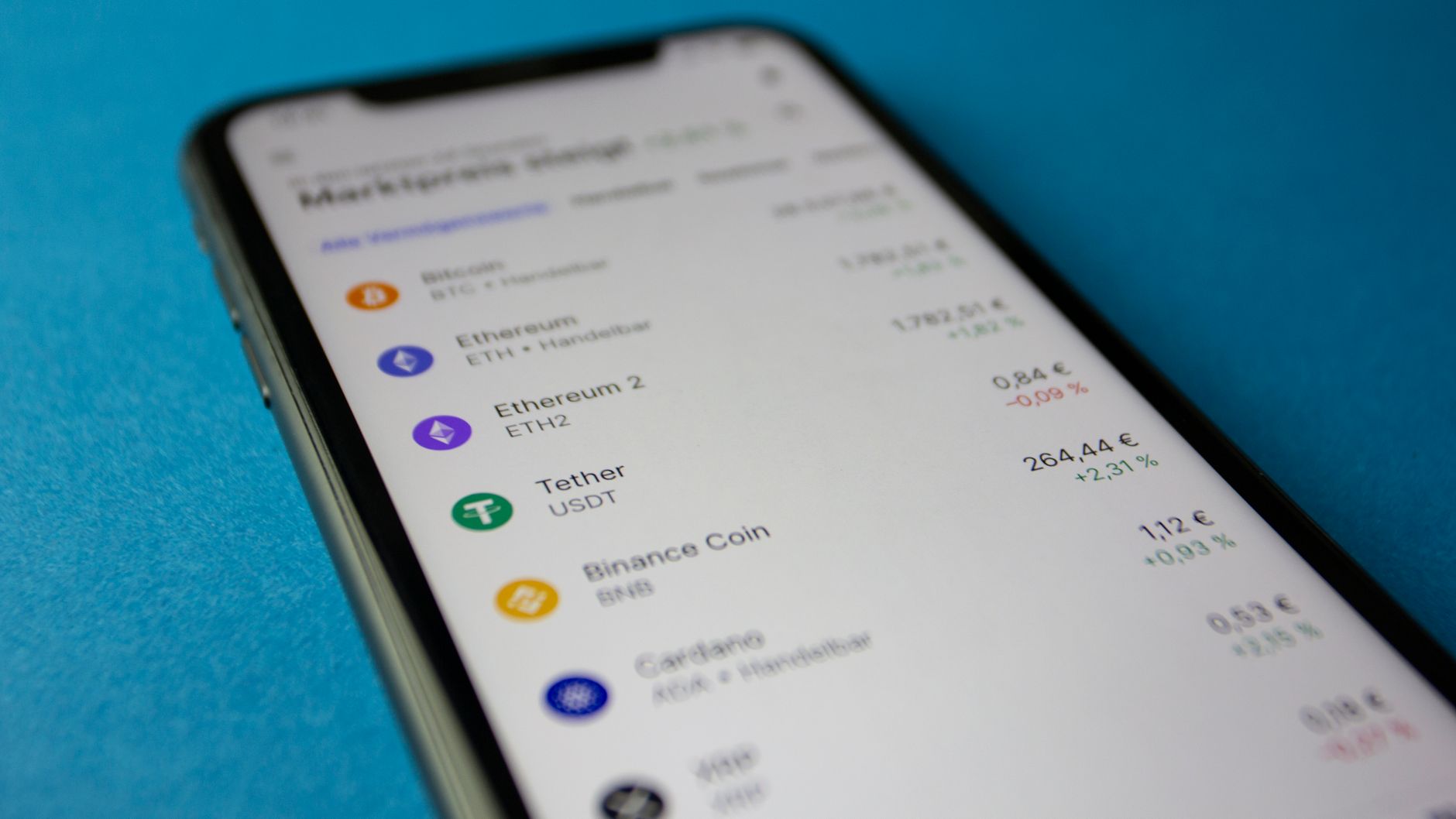
How to Trust Wallet: The Complete Setup and Security Guide for Crypto Beginners
If you're holding cryptocurrency, your biggest enemy isn't market volatility—it's losing access to your own funds. Thousands of new crypto users each month accidentally delete their seed phrases, share them with scammers, or store them in vulnerable locations. Trust Wallet solves the access problem with a clean mobile interface, but only if you understand the non-negotiable security rules.
This guide walks you through Trust Wallet setup, explains how the wallet actually protects (and doesn't protect) your assets, shows you exactly where common users fail, and compares it head-to-head with MetaMask and Coinbase Wallet. By the end, you'll know whether Trust Wallet is right for your situation and how to use it without catastrophic mistakes.
What Is Trust Wallet?
Trust Wallet is a self-custodial (non-custodial) cryptocurrency wallet owned by Binance. "Non-custodial" means you alone control the private keys—the wallet developers cannot access your funds, freeze your account, or reverse transactions. This is both its greatest strength and its greatest risk.
Key facts about Trust Wallet:
- Available on iOS and Android; no desktop or web version
- Supports 65+ blockchains including Ethereum, Bitcoin, Binance Smart Chain, Solana, and Polygon
- Free to download and use; no account registration required
- Built-in token swap feature powered by third-party DEXs
- Can connect to decentralized apps (DApps) for staking, lending, and trading
- Never requires you to share your seed phrase with anyone
According to CoinGecko's market data, Trust Wallet ranks among the top 5 mobile wallets globally. The app is clean, fast, and designed specifically for mobile-first users—ideal if you're managing small to medium holdings and value simplicity over advanced features.
How to Set Up Trust Wallet: Step-by-Step
Step 1: Download and Open the App
Go to your device's app store (Apple App Store or Google Play Store), search for "Trust Wallet," and install the official app by Binance. Check that the developer is listed as "Binance" and the icon shows a blue shield with a checkmark.
Security checkpoint: Scammers create fake Trust Wallet apps with similar names. Verify you're downloading from the official store by the legitimate developer.
Step 2: Create a New Wallet or Import Existing Keys
Open the app. You'll see two options:
- Create a New Wallet: Generates a brand-new seed phrase (12 or 24 words) that only you will ever see. Choose this if you're starting fresh.
- Import an Existing Wallet: Allows you to restore a wallet from another platform using your existing seed phrase. Choose this if you already have cryptocurrency elsewhere.
Tap "Create a New Wallet." The app will ask you to create a PIN code (6+ digits). Choose something you can remember but others cannot guess. This PIN protects your wallet when you unlock the phone.
Step 3: Secure Your Seed Phrase
Trust Wallet will display your 12-word seed phrase on screen. This is the master key to your entire wallet. Anyone with these 12 words can drain every penny you own.
Critical rules for seed phrase security:
- Write the words on paper—not in Notes app, email, or cloud storage
- Write them in order; the sequence matters
- Store the paper in a safe, secure location (locked drawer, safe deposit box, home safe)
- Never photograph the words or type them into your phone
- Never share your seed phrase with anyone, including Trust Wallet support staff (they will never ask for it)
- Do not back up to cloud storage like iCloud or Google Drive
Trust Wallet will ask you to confirm the seed phrase by selecting the words in correct order—this is a verification step to ensure you wrote them down accurately.
Step 4: Set Your Security Preferences
Enable biometric security (Face ID or fingerprint) if your device supports it. This adds a second layer of protection beyond your PIN. You can also enable a separate password for sensitive actions like viewing your seed phrase again or sending large amounts.
Security Essentials Every User Must Know
What Trust Wallet Protects
- Private keys: Stored encrypted on your device; never sent to Binance or any server
- Transaction signing: Only your device signs transactions, meaning no hacker can steal your coins remotely without physical access to your phone
- Multiple wallets: You can create multiple wallets within the same app for added organizational security
What Trust Wallet Does NOT Protect
- Phishing attacks: If you manually copy-paste a fake contract address or connect to a malicious DApp, the wallet cannot stop you
- Typos: If you send funds to the wrong blockchain or wrong address, the transaction is irreversible
- Malicious tokens: Scammers can create fake tokens that appear in your wallet; buying them results in 100% loss
- If your phone is stolen: Anyone with your PIN can access your funds
- If you forget your seed phrase: Trust Wallet support cannot recover it; your funds are permanently locked
Practical Security Habits
Enable two-factor authentication (2FA) on connected accounts: If you link a DApp or exchange to Trust Wallet, secure those platforms separately with 2FA (authentication apps like Google Authenticator, not SMS).
Use a strong, unique PIN: Avoid sequential numbers (123456) or birthdates. Ideally 8+ digits.
Review contract addresses before sending: Copy-pasting addresses minimizes typos. Never type them manually. Verify the first and last few characters match before confirming.
Never approve unlimited token spending: When connecting to a DApp, you'll sometimes authorize the app to spend your tokens. Set spending limits to the exact amount needed, not unlimited.
Keep your phone updated: Install OS security patches immediately. Old operating systems have known vulnerabilities that expose private keys.
How to Send and Receive Cryptocurrency
Receiving Funds
Open Trust Wallet, select the blockchain and token type you want to receive (e.g., Ethereum), tap "Receive," and share your address with the sender. Each blockchain has its own unique address. Never send Bitcoin to an Ethereum address—funds will be lost permanently.
Tip: Tap the QR code icon to generate a scannable code instead of copying the address manually, reducing the risk of typos.
Sending Funds
Tap "Send," select the token, enter the recipient's address, and input the amount. Review the network fee—this varies by blockchain and network congestion. Bitcoin network fees run 0.0001 to 0.001 BTC per transaction; Ethereum ranges from $3 to $50+ depending on gas prices.
Best practice: Send a small test amount first (especially when sending to a new address or unfamiliar exchange). Confirm it arrives before sending the full amount.
Transaction speeds depend on the blockchain. Bitcoin typically confirms in 10–30 minutes; Ethereum 1–2 minutes; Solana under 1 second. Once confirmed, the transaction is irreversible.
Connecting to Decentralized Apps (DApps)
Trust Wallet's real power emerges when you connect to decentralized applications. You can swap tokens, provide liquidity to earn yield, or stake coins without leaving the app.
How DApp Connection Works
Open the "Browser" tab in Trust Wallet, search for a DApp (e.g., Uniswap), and tap the DApp link. The app will ask permission to connect to your wallet. You're not sharing your private keys—you're granting the DApp permission to see your balance and submit transactions you explicitly approve.
Verification step: Always confirm the URL matches the official DApp website. Phishing sites copy the interface exactly but use slightly different URLs (e.g., "uniswapp.com" instead of "uniswap.org").
Approving Token Spending
When you first use a DApp with a specific token, the app requests an "approval" to spend that token on your behalf. This appears as a transaction requiring your confirmation.
Critical rule: Never approve "unlimited" spending. Set the approval amount to exactly what you need. Some users lose entire wallets by approving unlimited spending on a compromised DApp.
Swapping Tokens Within Trust Wallet
Trust Wallet integrates token swap functionality without requiring a separate DEX (decentralized exchange) account. Tap "Swap," select the token you're selling, choose the token you want to receive, and confirm the price.
Behind the scenes, the swap is routed through third-party liquidity providers. Slippage (price variation during execution) typically ranges from 0.1% to 2% for major token pairs, higher for low-liquidity tokens.
Fee transparency: Trust Wallet charges no fee for swaps; you only pay blockchain network fees and liquidity provider fees built into the exchange rate.
Trust Wallet vs. MetaMask vs. Coinbase Wallet: Direct Comparison
| Feature | Trust Wallet | MetaMask | Coinbase Wallet |
|---|---|---|---|
| Supported Blockchains | 65+ | 25+ | 12+ |
| Mobile App | iOS, Android | iOS, Android | iOS, Android |
| Desktop Extension | No | Yes (Chrome, Firefox, Edge) | No |
| Built-in Swap | Yes | Limited | Yes |
| Staking Integration | Yes | Requires separate app | Yes |
| Gas Fee Optimization | Good | Excellent | Fair |
| Learning Curve | Easiest | Moderate | Moderate |
| Non-Custodial | Yes | Yes | Yes |
When to choose Trust Wallet: You want the simplest mobile-first experience, need to manage multiple blockchains, or prefer built-in swaps without bridging to a separate DEX.
When to choose MetaMask: You need desktop access (browser extension), want advanced gas fee controls, or plan to use Ethereum-heavy DApps extensively.
When to choose Coinbase Wallet: You value close integration with Coinbase exchange or prefer USD-backed simplicity for beginners.
Common Mistakes That Cost Users Money
1. Storing the Seed Phrase Digitally
Keeping your seed phrase in Notes, cloud storage, or email guarantees eventual loss. Hackers target cloud accounts specifically for crypto seed phrases. Write it on paper and store it offline.
2. Sending Funds to the Wrong Blockchain
Bitcoin sent to an Ethereum address is gone forever. Always verify you're using the correct network. Trust Wallet clearly labels each address with its blockchain; confirm before pasting.
3. Connecting Wallets to Phishing Sites
Scammers create exact copies of Uniswap, OpenSea, and other DApps with slightly altered URLs. The moment you connect, they request approval to drain your wallet. Bookmark official sites and always use HTTPS.
4. Trusting Unsolicited Tokens in Your Wallet
Scammers airdrop fake tokens into your wallet automatically. They appear in your balance with appealing names. Clicking "sell" triggers an approval that steals your real tokens. Ignore them entirely; never interact with unknown tokens.
5. Approving Unlimited Token Spending
A malicious DApp with unlimited approval can steal your entire balance at any time. Always cap approvals to exact amounts needed. You can revoke approvals anytime in Trust Wallet's "Approvals" section.
6. Using the Same Password Everywhere
If your email password is breached and matches your Trust Wallet PIN, attackers can access your phone and drain the wallet. Use unique, strong passwords for every crypto-related account.
7. Forgetting the PIN or Losing the Phone
If you forget your PIN and cannot access the wallet, you can only recover it with your seed phrase (by importing it into a new device). Losing both is permanent loss. Store the seed phrase separately from your phone.
Frequently Asked Questions
Is Trust Wallet Safe?
Trust Wallet is as safe as your security practices. The wallet itself uses industry-standard encryption and has never suffered a major breach. However, if you share your seed phrase, approve unlimited spending, or connect to phishing sites, the wallet cannot protect you. Safety is 90% user behavior, 10% platform.
Can Trust Wallet Recover My Lost Seed Phrase?
No. Trust Wallet support cannot recover, reset, or bypass a lost seed phrase. Write it down immediately after creating the wallet and store it securely. There is no backup mechanism.
Does Trust Wallet Work in All Countries?
Trust Wallet is available globally, but some features may be restricted in countries with strict crypto regulations (e.g., certain staking features in the United States require compliance). The core wallet functions work worldwide unless your government specifically blocks crypto access.
How Much Does Trust Wallet Cost?
Trust Wallet is free to download and use. You only pay blockchain network fees when sending coins or interacting with DApps. Network fees go to miners or validators, not to Trust Wallet.
Can I Use Trust Wallet on Desktop?
Trust Wallet is mobile-only; there is no desktop version or browser extension. If you need desktop access, MetaMask or Hardware Wallet live on that platform. You can hold the same coins in both wallets using the same seed phrase (not recommended for security reasons—keep one seed phrase, one device).
What Happens If My Phone Is Stolen?
If someone steals your phone and knows your PIN, they can access your wallet and drain it instantly. To prevent this, enable biometric security (Face ID or fingerprint), use a strong PIN, and remotely wipe your phone via Find My iPhone or Find My Mobile if stolen. You can always restore the wallet on a new device using your seed phrase.
How Do I Connect Trust Wallet to a Blockchain Like Ethereum?
Trust Wallet automatically connects to Ethereum and 65+ other blockchains when you create your wallet. You don't need to manually configure networks like you do in MetaMask. Select "Ethereum" in the wallet to view your ETH balance and addresses.
What's the Difference Between a Public Address and a Private Key?
Your public address is like your bank account number—anyone can send you money using it, and it's safe to share publicly. Your private key (represented by your seed phrase) is your password—never share it with anyone. If someone has your private key, they own your funds.
Pro Trader Daily Expert Analysis
The practical reality: Trust Wallet excels for users who value simplicity and multi-chain support but demand iron discipline around seed phrase storage. The wallet itself is secure, but human error—typing addresses wrong, connecting to phishing sites, approving unlimited spending—causes 95% of losses.
Real-world observation from exchange data: users who write their seed phrases on paper and lock them away never lose access. Users who digitize seed phrases or share them with support (scammers impersonating support) lose everything. The wallet technology is proven; the weak link is always user behavior.
If you hold more than $50,000 in crypto, consider a hardware wallet (Ledger, Trezor) that can connect to Trust Wallet via USB—this isolates your private keys from internet-connected devices entirely. For smaller holdings and frequent trading, Trust Wallet is sufficient if security protocols are followed.
"The foundation of security in any self-custodial wallet is the immutable reality: only you control your private keys, and nobody can help you if you lose them. Trust Wallet enforces this principle absolutely. Users who accept this responsibility thrive; those who ignore it suffer total loss. There is no middle ground."
Current crypto market context (as of August 2, 2026): Bitcoin trades at $62,881, Ethereum at $1,852. Portfolio management tools within Trust Wallet allow you to monitor holdings across these assets in real-time, though price data sources are third-party integrations.
Related Resources
Expand your crypto knowledge with these Pro Trader Daily guides:
- Cryptocurrency Trading Guide — Learn blockchain fundamentals, market mechanics, and technical analysis
- DeFi Yield Farming Strategies — Advanced techniques for earning returns on staked assets
- Hardware Wallet Setup for Maximum Security — How to use Ledger or Trezor with Trust Wallet
- Crypto Tax Reporting Requirements — Track transactions and report to tax authorities
- Advanced Trading Tools and Strategies — Beyond basic wallet transactions
Take Action
Ready to secure your cryptocurrency holdings? Follow these next steps:
- Download Trust Wallet from your official app store right now
- Create a new wallet and write your seed phrase on paper
- Lock the paper in a safe location separate from your phone
- Send a small test amount to yourself to practice the send/receive flow
- Bookmark official DApp URLs to avoid phishing sites
Trust Wallet: Entity Overview
| Official Name | Trust Wallet |
| Owner | Binance (acquired 2018) |
| Category | Non-Custodial Mobile Cryptocurrency Wallet |
| Launch Date | 2017 |
| Platforms | iOS, Android |
| Supported Blockchains | 65+ (Bitcoin, Ethereum, Solana, Polygon, Avalanche, Arbitrum, Optimism, and others) |
| Key Features | Token swapping, DApp browser, staking, multi-chain support, non-custodial control |
| Cost | Free (blockchain network fees apply to transactions) |
| Global Downloads | 10 million+ (as of 2026) |