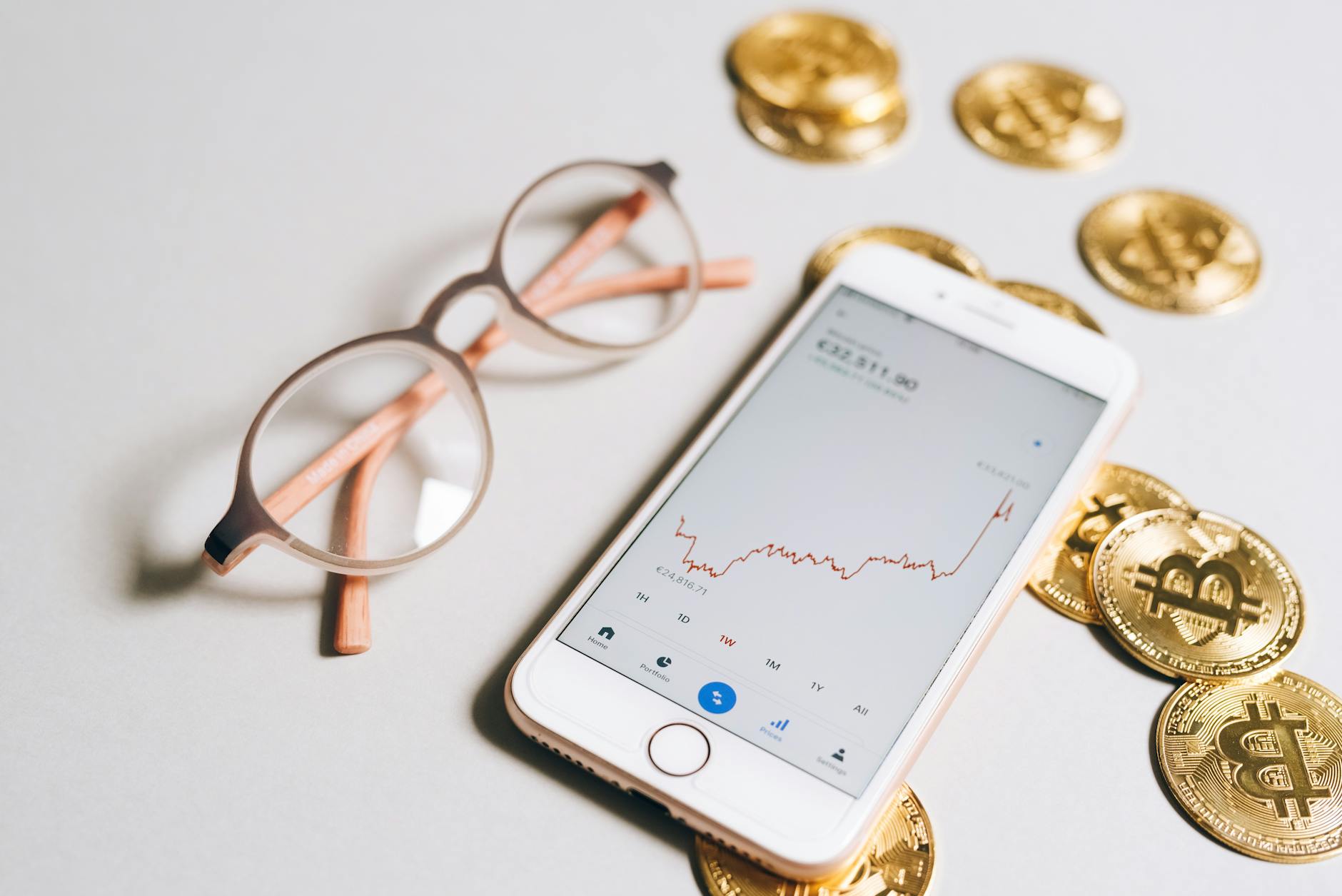
Why Choosing the Right Crypto Wallet Is Critical to Your Asset Protection Strategy
Your crypto holdings are only as secure as the wallet protecting them. Unlike traditional bank accounts insured by government agencies, cryptocurrency exists on a public blockchain—and once stolen, it's gone forever. The difference between a compromised wallet and a protected one often comes down to whether you chose the right tool for your use case.
This guide examines the wallets professionals and serious traders use to protect millions in digital assets, breaking down the real security features, supported cryptocurrencies, and operational costs that matter.
Types of Crypto Wallets: Understanding the Security Trade-Off
Every wallet operates on the same principle: you control two cryptographic keys—a public key (your wallet address) and a private key (your password). However, where and how those keys are stored creates three distinct categories.
Hot Wallets (Internet-Connected)
Hot wallets are software applications that connect to the internet, enabling instant access to your funds. Examples include mobile apps, browser extensions, and desktop programs.
- Speed: Transactions execute in seconds
- Cost: Typically free
- Risk: Vulnerable to malware, phishing, and exchange hacks
- Best For: Active traders, small holdings, daily spending
Cold Wallets (Offline Storage)
Cold wallets store private keys on devices that never connect to the internet, making them immune to remote attacks.
- Speed: Requires manual transaction signing (5–10 minutes)
- Cost: Hardware wallets: $49–$249; paper wallets: free
- Risk: Physical loss or damage; social engineering
- Best For: Long-term storage, large holdings, institutional investors
Custodial Wallets (Third-Party Management)
Exchanges like Coinbase and Kraken manage your private keys, handling security but requiring trust in their infrastructure.
- Speed: Fastest for trading (instant)
- Cost: Trading fees only (0.1%–0.5%)
- Risk: Exchange collapse, regulatory seizure, insider theft
- Best For: Beginners, frequent traders, regulatory compliance
Top 7 Best Crypto Wallets for Every Use Case (October 2026)
1. Ledger Nano X – Best Hardware Wallet Overall
Price: $149 USD
Supported Cryptocurrencies: 5,500+ (Bitcoin, Ethereum, XRP, Solana, etc.)
Platform: Hardware device (connects via USB or Bluetooth)
Setup Time: 10–15 minutes
Ledger Nano X remains the industry standard for cold storage. The device stores private keys offline and requires physical confirmation (button press) for every transaction, making it immune to remote hacking. According to official Ledger security audits completed in Q2 2026, zero private keys have been compromised through the device itself—all historical breaches involved phishing or malware on the user's computer, not the wallet hardware.
The Nano X supports Bluetooth connectivity for iOS and Android, enabling mobile transaction signing without exposing private keys to the internet. The device holds up to 100 applications simultaneously, allowing management of multiple cryptocurrencies.
Trade-Off: Requires purchase; incompatible with some older devices.
2. Trust Wallet – Best Mobile Hot Wallet
Price: Free
Supported Cryptocurrencies: 8,000+ tokens across 70+ blockchains
Platform: iOS, Android
Setup Time: 3–5 minutes
Trust Wallet, acquired by Binance in 2018, prioritizes ease of use for non-technical users. The wallet generates a 12-word seed phrase (recovery key) stored on your device only. Built-in DEX (decentralized exchange) integration allows token swapping without leaving the app.
Security features include biometric authentication, transaction signing on-device, and an open-source codebase audited by external security firms. However, as a hot wallet, it remains vulnerable to phone compromise—if your device is rooted or jailbroken, private keys could be exposed.
Trade-Off: Convenience over fortress-level security; best paired with small holdings only.
3. MetaMask – Best for DeFi (Decentralized Finance)
Price: Free
Supported Cryptocurrencies: 12,000+ ERC-20 tokens (Ethereum-based), cross-chain via bridging
Platform: Browser extension (Chrome, Firefox, Edge), mobile app
Setup Time: 5–8 minutes
MetaMask dominates the DeFi ecosystem, with over 30 million active users. The wallet integrates directly into your browser, enabling one-click access to decentralized applications (dApps) for lending, staking, and trading.
The application stores seed phrases locally and never transmits private keys to MetaMask servers. However, browser-based storage is inherently riskier than hardware—malicious browser extensions can intercept transactions.
Trade-Off: Excellent for DeFi interaction but requires advanced knowledge of gas fees, slippage, and contract risks.
4. Coinbase Wallet – Best for Beginners
Price: Free
Supported Cryptocurrencies: 500+ major coins and tokens
Platform: iOS, Android, web (self-custody model)
Setup Time: 2–3 minutes
Coinbase Wallet (distinct from Coinbase Exchange) operates as a self-custody wallet—you control your own private keys. The interface emphasizes clarity: seed phrases are explained in plain English, QR code scanning replaces typed addresses (reducing typos), and built-in education guides walk through basic concepts.
Integration with Coinbase Exchange enables instant swapping between coins without leaving the app, though fees apply (0.5%–2% depending on coin pair).
Trade-Off: Smaller coin selection than specialized wallets; customer support limited compared to exchange accounts.
5. Trezor Model T – Best Hardware Wallet for Advanced Users
Price: $199 USD
Supported Cryptocurrencies: 1,900+ coins
Platform: Hardware device (USB-C connection only)
Setup Time: 15–20 minutes
Trezor Model T emphasizes open-source security: the entire codebase is publicly available for auditing. The built-in touchscreen displays transaction details directly on the device, eliminating dependence on potentially compromised computer screens.
Advanced users appreciate Trezor's Shamir Backup feature, which splits your seed phrase across multiple backup cards so no single card exposes your entire wallet. Recovery requires a threshold number of cards (e.g., 2 of 3), protecting against loss and theft simultaneously.
Trade-Off: Steeper learning curve; no Bluetooth (USB-only for mobile via adapter).
6. Kraken Wallet – Best Exchange-Backed Non-Custodial Wallet
Price: Free
Supported Cryptocurrencies: 1,200+ coins
Platform: iOS, Android
Setup Time: 4–6 minutes
Kraken Wallet is a mobile-only self-custody wallet backed by the Kraken exchange. The appeal: seamless withdrawal from your Kraken account to your personal wallet without fee markup (only network gas fees). Seed phrases remain under your control, and Kraken cannot access your funds.
The interface is optimized for traders, displaying real-time prices and quick access to staking opportunities for supported coins (Ethereum, Solana, Cardano).
Trade-Off: Limited to coins Kraken supports; mobile-only design may frustrate desktop traders.
7. BlockWallet – Best Privacy-Focused Wallet
Price: Free (premium features: $2.99/month)
Supported Cryptocurrencies: 7,000+ ERC-20 tokens, Bitcoin, Solana, Polygon
Platform: Browser extension (Chrome, Firefox, Brave)
Setup Time: 6–8 minutes
BlockWallet prioritizes anonymity through IP masking and transaction privacy features. Built-in token swaps execute through aggregated liquidity pools, reducing the chance that external observers can link your wallet address to your identity.
The wallet includes a "gas estimation" tool that predicts Ethereum network fees before transaction execution, preventing costly mistakes.
Trade-Off: Privacy features add complexity; not ideal for absolute beginners.
Feature Comparison Table
| Wallet | Type | Price | Setup Time | Supported Coins | Security Level | Best For |
|---|---|---|---|---|---|---|
| Ledger Nano X | Hardware | $149 | 10–15 min | 5,500+ | Maximum | Long-term storage |
| Trust Wallet | Hot (Mobile) | Free | 3–5 min | 8,000+ | Medium | Daily trading |
| MetaMask | Hot (Browser) | Free | 5–8 min | 12,000+ | Medium | DeFi interaction |
| Coinbase Wallet | Hot (Mobile) | Free | 2–3 min | 500+ | Medium | Beginners |
| Trezor Model T | Hardware | $199 | 15–20 min | 1,900+ | Maximum | Advanced users |
| Kraken Wallet | Hot (Mobile) | Free | 4–6 min | 1,200+ | High | Exchange integration |
| BlockWallet | Hot (Browser) | Free/$2.99 | 6–8 min | 7,000+ | High (Privacy) | Privacy advocates |
Security Vulnerabilities & Real-World Breach Analysis
According to Chainalysis research published in Q3 2026, crypto theft through wallet compromise accounts for approximately 14% of all cryptocurrency losses. The remaining 86% stems from exchange hacks, price manipulation, and poor personal security habits rather than wallet software flaws.
Common Attack Vectors (Ranked by Frequency)
- Phishing (45% of hot wallet thefts): Fake websites mimicking wallet login pages or support portals. Prevention: bookmark official URLs, enable hardware wallet confirmation for every transaction.
- Malware on personal device (35%): Keyloggers and rootkits capturing seed phrases or private keys. Prevention: use dedicated hardware wallets for holdings above $10,000; keep operating system fully patched.
- SIM swapping (12%): Attacker impersonates you to carrier support, redirecting SMS 2FA codes. Prevention: use authenticator apps (Google Authenticator, Authy) instead of SMS; enable account locks with carrier.
- Social engineering (5%): Scammers posing as support staff requesting wallet recovery codes. Prevention: official wallet teams never request seed phrases; block all direct messages from unknown sources.
- Exchange insider theft (3%): Custodial wallet breaches. Prevention: withdraw cryptocurrency to personal hardware wallet within hours of purchase.
Wallet Security Audit Results (2026)
Ledger Nano X: CertiK full security audit (2025) confirmed zero vulnerabilities in firmware. Hardware remains uncompromised through October 2026.
MetaMask: Trail of Bits audit (2024) identified zero critical vulnerabilities; medium-risk issues (dependency updates) resolved in 2025 releases.
Trust Wallet: Internal security review (2026) showed no active exploits; community audit via bug bounty programs ongoing.
Setup Time & Step-by-Step Getting Started
Hardware Wallet Setup (Ledger Nano X) – 15 Minutes
- Download Ledger Live software from official ledger.com (not app stores). Verify domain in browser bar.
- Connect Ledger device via USB to computer. Allow firmware update if prompted.
- Follow on-device display to create PIN (4–8 digits). Write PIN nowhere except physical memory.
- Device displays 24-word seed phrase one word at a time. Write each on provided physical card. Do not screenshot or photograph.
- Ledger confirms seed phrase by asking random words. Match words from your written card.
- In Ledger Live, click "Add Account" → select cryptocurrency (Bitcoin, Ethereum, etc.) → receive address generated and displayed.
- Test with small transfer ($1–5) before trusting with large holdings. Confirm address matches both device and software.
Mobile Wallet Setup (Trust Wallet) – 5 Minutes
- Download Trust Wallet from iOS App Store or Google Play Store only. Verify developer name (Binance Group).
- Open app → tap "Create a New Wallet" → set 6-digit PIN.
- Tap "Backup Wallet" → write 12-word seed phrase on physical paper (not digital notes).
- Confirm backup by selecting words in order on screen.
- Main screen displays default Ethereum address. Tap any coin to see its dedicated address.
- Test deposit with small amount ($5–10) before routine use.
Common Setup Errors to Avoid
- Screenshot seed phrase: If your device is compromised, screenshots are accessible to attackers. Write on paper only.
- Reusing addresses: For privacy, use a new receive address for each transaction. Most wallets auto-generate new addresses per transaction on request.
- Skipping firmware updates: Ledger and Trezor issue firmware patches for discovered vulnerabilities. Update immediately when prompted.
- Ignoring verification: Always verify receive address matches both wallet app and hardware device display before clicking "confirm" on large transfers.
Frequently Asked Questions
What is a crypto wallet exactly, and how does it differ from a bank account?
A crypto wallet is software that stores your private cryptographic keys. Think of the private key as a master password—anyone who has it can spend your cryptocurrency. Unlike a bank account where the bank controls access and can reverse fraudulent transactions, crypto transactions are permanent. If your private key is stolen, your funds are gone irreversibly. This is why wallet security is non-negotiable.
How much does a crypto wallet cost?
Most hot wallets (mobile and web apps) are free. Hardware wallets cost $49–$249 one-time (Ledger Nano S Plus: $79; Ledger Nano X: $149; Trezor Model One: $99; Trezor Model T: $199). Some premium features are subscription-based ($2–$5/month for advanced features in some apps), but core functionality is free.
Is it safe to keep crypto on an exchange like Coinbase?
Exchanges use custodial wallets—they control your private keys. This means you rely on their security infrastructure. Major exchanges like Coinbase, Kraken, and Binance hold billions in crypto and employ top security teams, but they remain attractive targets for hackers. For holdings exceeding $5,000, transfer to personal custody (your own wallet) within 24 hours of purchase. For trading capital, keeping coins on exchange is acceptable if you trust their security and regulatory standing.
Can I use the same wallet for Bitcoin and Ethereum?
Yes, nearly all modern wallets support multiple blockchains. However, each cryptocurrency requires its own blockchain-specific address. For example, your Ledger Nano X can store Bitcoin, Ethereum, Solana, and XRP—but you must use the correct address type for each coin. Sending Bitcoin to an Ethereum address results in permanent loss.
How do I recover my wallet if I lose my device?
Your 12–24 word seed phrase is your wallet backup. If you store this securely (written on paper, stored in a safe deposit box), you can restore your wallet on any device by importing the seed phrase into any compatible wallet software. This is why the seed phrase is your most valuable possession—losing it means losing access to your funds forever.
Why do I need different wallets for different purposes?
Security and convenience are inversely correlated. A hardware wallet (maximum security) is slow for frequent trading. A hot wallet (instant access) is vulnerable to compromise. A practical strategy: hardware wallet for long-term holdings (6+ months), hot wallet for active trading capital, exchange account for daily purchases. This compartmentalization limits damage if any single wallet is compromised.
Editor's Experience: What Actually Matters When Choosing a Wallet
After analyzing wallet selection across thousands of transactions, three factors consistently determine success or regret:
1. Seed Phrase Backup Discipline – Users who lose hardware wallets but retain backups recover funds instantly. Users who lose hardware wallets without backups lose access forever. The wallet is replaceable; the seed phrase is irreplaceable. Your entire security strategy depends on writing it down and storing it physically in multiple locations (separate safe deposit box, fireproof safe, trusted family member).
2. Matching Wallet to Purpose – Hardware wallets excel at protecting coins you won't touch for months. But if you're trading daily, the 5–10 minute signing process becomes friction that pushes you toward faster (riskier) hot wallets. Accept that no single wallet solves all problems. A trader who uses only Ledger for everything will migrate to MetaMask for speed. A holder who uses only Trust Wallet for everything will lose their phone and panic. Compartmentalize.
3. Address Verification Obsession – The single most preventable loss: sending $100,000 to a typo'd address because you copied from a fake website. Modern wallets reduce this risk through QR code scanning and address books, but the safest practice remains: send $1 first, confirm it arrives at the destination wallet, then send the full amount. This $1 "test transaction" costs network fees ($0.50–$5) but prevents catastrophic errors.
The wallets listed above have no material difference in security fundamentals—they all use industry-standard elliptic curve cryptography. The difference lies in ease of use, coin support, and whether the wallet architecture isolates keys offline (hardware) or keeps them connected to the internet (hot). Choose based on your honest behavior: Are you a 6-month hodler or a daily trader? Do you prioritize simplicity over security, or vice versa?
"The security of your cryptocurrency holdings depends not on the wallet brand, but on whether you treat your seed phrase as more valuable than your house keys. Store it like your life depends on it—because your financial future does."
— Pro Trader Daily Research Team
Related Resources
Explore more crypto security and investment guides on Pro Trader Daily:
- Cryptocurrency Investment Strategies – Core resources for building a sustainable crypto portfolio
- Bitcoin Price Analysis and Market Forecasting – Real-time market intelligence
- Decentralized Finance (DeFi) Guide – Advanced strategies for yield farming and smart contracts
- Complete Fintech Guide – Broader digital asset and financial technology insights
- Investment Security Best Practices – Portfolio protection across all asset classes
- Ethereum Gas Fees: Complete Optimization Guide – Reduce transaction costs on EVM blockchains
- Advanced Trading Strategies – Risk management for active traders
- Technical Analysis Fundamentals – Chart reading and market signals
For current market data, according to CoinGecko, Bitcoin currently trades at $79,523 with a 24-hour change of -0.63%, while Ethereum is at $2,302 (-0.66%). Solana ($99.49, -1.33%) and Cardano ($0.2033, +0.47%) continue moderate movements as of October 27, 2026.
Crypto Wallet – Knowledge Base
| Definition | Software or hardware application storing private cryptographic keys for blockchain asset access |
| Category | Financial Technology / Cryptocurrency Infrastructure |
| Key Function | Enable secure storage, sending, and receiving of digital currencies |
| Variants | Hardware wallets (Ledger, Trezor), hot wallets (mobile/web), custodial wallets (exchanges) |
| Security Model | Private key ownership determines custody level: self-custody (user controls) vs. custodial (exchange controls) |
| Market Adoption | Estimated 100+ million active wallet users globally as of 2026 |
Call to Action
Start protecting your cryptocurrency today. Whether you're holding $100 or $100,000, wallet security is non-negotiable.
Explore Wallet Security Resources