
Best App to Read Crypto Charts: 5 Platforms Compared
Bitcoin sits at $59,861 and Ethereum at $1,661, both down on the day, according to real-time market data as of November 28, 2026. In a market that moves like this, a chart that lags or hides the volume bars can cost you an entry. Most "best chart app" lists mix charting platforms with trading bots as if they were the same thing. They are not. This guide separates the two, uses only facts published on each vendor's official site, and marks anything the sources do not state with a dash.
How the apps were ranked
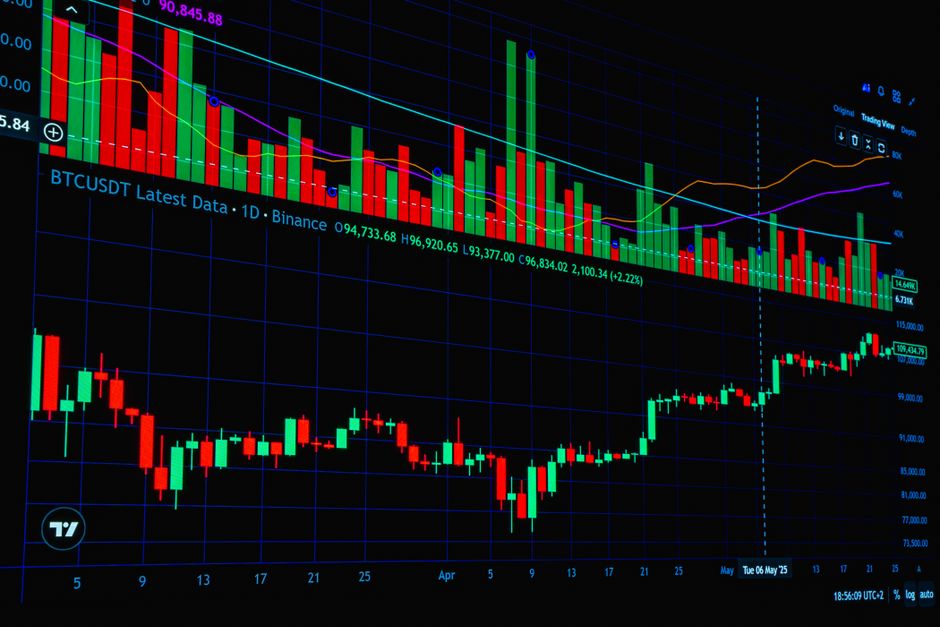
According to public records on each vendor's official site, the five products fall into two groups: one charting platform and four automation platforms. The ranking below weighs three things that the sources actually document:
- Chart and analysis tooling: chart types, alerts, screeners, calendars.
- Practice mode: demo accounts, demo wallets or paper trading, so you can learn without risking capital.
- Published pricing: only figures shown on the vendor's own pricing pages.
Download counts, app store ratings, mobile responsiveness scores, supported-coin totals and exchange lists are not in the source data for most of these products. They appear as "—" in the table rather than as guesses. Price aggregators such as CoinGecko are a useful independent check on any price you see inside a chart app.
5 best apps to read crypto charts, ranked
1. TradingView: best overall for reading charts
TradingView describes itself as a platform where you can explore chart types, smart alerts, calendars, screeners and trading tools in one place. Its subscription page lists five tiers: Basic, Essential, Plus, Premium and Ultimate. It also offers a demo account with virtual funds for testing strategies and learning the platform.
- Strengths: chart-first design, alerts, screeners, calendars, and a risk-free demo environment.
- Trade-off: the vendor states that adding data requires a paid plan or trial membership. Tier prices are not in the source data, so check the live pricing page before committing.
- Best for: anyone whose main job is analysis: beginners learning candlesticks and advanced traders building multi-indicator setups.
2. 3Commas: best for turning chart ideas into automated trades
3Commas is a trading bot platform. Its pricing page lists plans starting at $15 per month for trading at one exchange, with higher tiers shown at $30 per month and $84 per month, and annual billing discounts. The page also notes that plans include demo access. According to the 3Commas help center, demo trading starts with a $10,000 virtual balance and you can create up to 2 demo accounts.
- Strengths: a documented demo with a clear virtual balance; a full-access trial is mentioned on its platform functions page.
- Trade-off: the source data does not describe a charting toolset. Treat it as an execution layer on top of charts you read elsewhere.
3. Cryptohopper: best for backtesting and paper trading
Cryptohopper runs bots on your own exchange accounts and lists DCA, trailing orders, AI, copy bots, backtesting and paper trading. The Explorer plan is listed at $29.00, discounted to $24.16 per month when billed annually (17% off). It covers up to 15 coins and 80 open positions, and the site offers a 3-day free trial.
- Strengths: backtesting lets you check a chart-based idea against history before risking money.
- Trade-off: the Explorer tier's 15-coin cap limits broad market scanning.
4. Coinrule: best for rule-based setups with a free tier
Coinrule offers a free plan with limited rules and demo trading. Its own comparison page says the free plan allows trading on up to three exchanges and includes a demo wallet. Paid plans start at $29.99 per month. A listed higher tier includes 50 live rules, 50 demo rules, 300 AI optimizations and 50,000 AI credits.
- Strengths: the lowest-risk way in this group to test "if price does X, do Y" logic, because the free plan has a demo wallet.
- Trade-off: free-plan rule limits are described only as "limited"; exact numbers are not in the source data.
5. Pionex: best for free-to-start bots with demo funds
Pionex presents itself as a free crypto trading bot platform with demo trading using demo funds and no real-money risk. Its site copy references trading over 20 cryptocurrencies with bots.
- Strengths: demo mode and a free-to-start positioning.
- Trade-off: the sources describe bots, not chart-reading tools, so it ranks last for the specific job of reading charts.
Side-by-side feature and pricing matrix
| App | Primary role | Pricing stated in sources | Practice mode | Coin coverage stated | App store rating / downloads |
|---|---|---|---|---|---|
| TradingView | Charting and analysis | Five tiers (Basic to Ultimate); prices not in source data | Demo account with virtual funds | — | — |
| 3Commas | Trading bots | From $15/month (1 exchange); $30 and $84/month tiers listed | $10,000 virtual balance, up to 2 demo accounts | — | — |
| Cryptohopper | Trading bots | Explorer $29.00, or $24.16/month billed annually | Paper trading; 3-day free trial | Up to 15 coins on Explorer | — |
| Coinrule | Rule-based automation | Free plan; paid from $29.99/month | Demo wallet | — | — |
| Pionex | Trading bots | Free-to-start positioning | Demo trading with demo funds | Over 20 cryptocurrencies (bot trading) | — |
Exchange integration lists, mobile responsiveness scores and indicator counts are not published in the source data for any of the five, so none are shown. Verify them on each vendor's site before paying.
Free vs paid: what you actually get
| Need | Free route in the sources | Paid route in the sources |
|---|---|---|
| Learn chart reading with no risk | TradingView demo account; Coinrule free plan with demo wallet; Pionex demo trading | — |
| Test an automated idea | Coinrule free plan (limited rules); Cryptohopper 3-day trial | 3Commas from $15/month; Cryptohopper Explorer $24.16/month annual; Coinrule from $29.99/month |
| Add extra market data | — | TradingView states data add-ons need a paid plan or trial |
The practical takeaway: you can learn chart reading and strategy logic at no cost. Once you want automation or extra data, expect to pay roughly $15 to $30 per month at entry level, based on the listed prices above.
Mobile vs desktop for chart reading
The source data does not publish mobile responsiveness scores or platform-by-platform feature differences, so any number here would be invented. The qualitative trade-off is well established among traders:
- Phone: good for alerts, quick price checks and closing a position away from your desk. Small screens make multi-timeframe analysis awkward.
- Desktop or browser: better for several charts at once, drawing tools and indicator stacking.
A sensible split is to do your analysis on desktop, then set alerts that reach your phone. Confirm that alerts are included in the plan you choose.
How to read a crypto chart effectively

Use today's market as a worked example. Per real-time market data as of November 28, 2026, Bitcoin trades at $59,861 (24h: -1.27%), Ethereum at $1,661 (24h: -2.25%) and Solana at $71.67 (24h: +0.67%). Ethereum falling faster than Bitcoin on the same day is the kind of relative move a chart makes visible and a price list does not.
- Pick the timeframe first. A daily chart shows trend; a 15-minute chart shows entry timing. Reading both avoids trading against the bigger move.
- Read candlesticks. Each candle shows open, high, low and close for its period. Long wicks mark rejected prices.
- Check volume. A breakout on thin volume is less reliable than one on rising volume.
- Add two indicators, not ten. A moving average for trend and RSI for momentum cover most beginner needs. RSI's conventional reading is above 70 as stretched and below 30 as oversold, but those are guides, not signals.
- Mark support and resistance. Horizontal levels where price reversed before are the simplest tool on any chart app.
- Set an alert instead of watching. Alerts are the feature that turns a chart app into a time saver.
Practical setup steps and common errors
Here is a sound sequence for getting started, built only from documented features. Open a TradingView demo account and chart BTC against USDT on the daily timeframe. Add one moving average and RSI, then switch to a shorter timeframe and compare. Once you have a repeatable idea, test it in a bot's practice mode: 3Commas offers a $10,000 virtual balance across up to 2 demo accounts, Cryptohopper offers paper trading and backtesting, and Coinrule offers a demo wallet on its free plan. Only after that should you connect a live exchange.
Common errors and fixes:
- Prices that do not match your exchange. Charts can draw from different exchange feeds or from spot versus perpetual contracts. Check which symbol and exchange the chart is using before you act on a level.
- Stale or delayed quotes. Among the public posts reviewed for this article, stale quotes and delayed data were the two complaints raised, once each. The sample is small, but check the data source and refresh behavior in any app you adopt.
- Over-permissioned API keys. When connecting a bot to an exchange, grant trade permission only and leave withdrawals disabled. This is standard exchange security practice.
- Skipping the demo. A rule that looks good on a chart can fail on fees and slippage. Run it in demo or paper mode first.
- Plan caps. Cryptohopper's Explorer plan limits you to 15 coins and 80 open positions, so a wide watchlist may outgrow it.
Which app fits which trader
| Profile | Start with | Reason (from sources) |
|---|---|---|
| Beginner learning charts | TradingView | Chart types, alerts and a demo account with virtual funds |
| Active analyst | TradingView | Screeners and calendars, plus paid tiers up to Ultimate |
| Wants automation on a budget | Coinrule | Free plan with demo wallet; paid from $29.99/month |
| Wants to backtest ideas | Cryptohopper | Backtesting and paper trading; 3-day free trial |
| Wants a large virtual practice balance | 3Commas | $10,000 demo balance, up to 2 demo accounts |
| Wants free-to-start bots | Pionex | Demo trading with demo funds |
On sentiment: of 25 public posts about apps for reading crypto charts, 4 expressed a clear opinion (3 positive, 1 mixed, 0 negative). Portfolio tracking was the most praised feature, with 2 mentions. Binance, Altrady and CoinMarketCap were each named twice. Four opinions is far too few to rank products on, which is why this ranking rests on documented features, not crowd votes. Note too that portfolio tracking is not described in the source data for any of the five apps above, so check it separately.
Related reading on Pro Trader Daily: the crypto news and guides hub, our best crypto trading bots comparison, a guide to the best crypto portfolio tracker apps, and a walkthrough of the best crypto exchanges for beginners. For method, see how to read candlestick charts and crypto technical analysis indicators explained. Broader context sits in the complete fintech guide.
Sources Checked for Product Details
Prices, fees and features were checked against these pages on November 28, 2026. Providers change terms often; confirm on the official site before you buy or deposit.
- TradingView: TradingView Subscriptions: Pricing and Features (tradingview.com)
- TradingView: Demo features on TradingView (tradingview.com)
- TradingView: TradingView Features — Power Up Your Analysis & Trading (tradingview.com)
- 3Commas: Crypto Trading Bot Pricing Plans (3commas.io)
- 3Commas: Demo Trading Guide (help.3commas.io)
- 3Commas: Platform functions (3commas.io)
- Pionex: Pionex | Bitcoin Ethereum Auto buy low and sell high | Free Crypto Trading Bot (pionex.com)
- Pionex: Pionex | Bitcoin Ethereum Auto buy low and sell high | Free Crypto Trading Bot (pionex.com)
- Pionex: Pionex (pionex.com)
- Cryptohopper: Cryptohopper Pricing | Compare Crypto Trading Bot Plans (cryptohopper.com)
- Cryptohopper: Trading Bot for Crypto: Automated Trading | Cryptohopper (cryptohopper.com)
- Cryptohopper: Crypto Arbitrage & Market Making Tools | Pro Trading (cryptohopper.com)
- Coinrule: Coinrule AI Trading | Pricing (coinrule.com)
- Coinrule: Coinrule vs Quadency Review: Pricing, Strategy & App (coinrule.com)
- Coinrule: Coinrule (coinrule.com)
What Real Users Say About App To Read Crypto Charts
We collected 25 public user discussions about app to read crypto charts from Reddit, Trustpilot, BitcoinTalk (searched November 2026). 4 expressed a clear opinion: 3 positive, 0 negative, 1 mixed.
| What users like | What users complain about |
|---|---|
| portfolio tracking (2×) | stale quotes (1×) |
| free (1×) | delayed data (1×) |
| useful trends (1×) | — |
| actionable metrics (1×) | — |
| immediate access (1×) | — |
| real-time updates (1×) | — |
Most-mentioned names: binance (2), altrady (2), coinmarketcap (2)
“Coingecko works great for prices, trends, links to DYOR.” — Reddit
“Peachfolio is great for tracking micro cap shit coins.” — Reddit
“Coin Market Cap can have quotes that are stale for hours.” — Reddit
All 25 sources
- Good App for price charts? : r/CryptoCurrency — Reddit · neutral
- Any app/web site you recommend so I can follow the market? — Reddit · neutral
- New to crypto, how to catch chart patterns? : r/CryptoMarkets — Reddit · neutral
- best technical analysis tool for crypto? : r/Forex_Reddit — Reddit · neutral
- What are the best mobile apps for tracking crypto assets? New to area ... — Reddit · neutral
- Crypto tracker : r/CryptoCurrency — Reddit · for
- How can I analyze cryptocurrency charts and make informed trading ... — Reddit · neutral
- Best APPs & Websites for reading Crypto trading Data : r/CryptoMarkets — Reddit · neutral
- Best crypto analysis tool out there? : r/Forex_Reddit — Reddit · neutral
- Your Favorite Tools for Crypto Market Analysis? : r/CryptoMarkets — Reddit · neutral
- [Question] What are the best apps to analyze stocks and crypto and spot momentum early? — Reddit · neutral
- Best Platforms with Advanced Charting Tools for Beginner Crypto Traders : r/DecentralizedFinance — Reddit · neutral
- What Crypto Tracker App Is Everyone Using Now : r/CryptoCurrencies — Reddit · mixed
- Best crypto tracker app : r/CryptoCurrency — Reddit · for
- A full-featured, affordable market analysis app born from frustration — Reddit · neutral
- What are you all using for a crypto watchlist/tracker/dashboard? — Reddit · neutral
- r/CryptoCurrency — Reddit · neutral
- What "tools" do you use ? : r/CryptoCurrency — Reddit · neutral
- VisVharts Reviews | Read Customer Service Reviews of vischarts.com — Trustpilot · for
- Read Customer Service Reviews of centralcharts.com — Trustpilot · unverified
- Read Customer Service Reviews of chartinspect.com — Trustpilot · neutral
- Cryptowatch Reviews | Read Customer Service ... — Trustpilot · neutral
- The Trading Operating System for Active Crypto Traders Reviews — Trustpilot · neutral
- Edge Reviews | Read Customer Service Reviews of edge.app — Trustpilot · neutral
- App for crypto indicators — BitcoinTalk · neutral
Method: public posts found via Google search, limited to user communities. Each positive/negative label is backed by a quote copied from that post; posts without a verifiable quote are not counted. These are anecdotal, unverified user reports, not financial advice.
FAQ
What is the best app to read crypto charts?
Among the five products in this comparison, TradingView is the best fit for reading charts because it is described as a charting platform with chart types, smart alerts, calendars and screeners. The other four (3Commas, Pionex, Cryptohopper, Coinrule) are bot and automation tools.
How to read crypto charts on a phone?
Start on a higher timeframe such as the daily chart to see the trend, then drop to a shorter one for timing. Use candlesticks and volume, add one moving average and RSI, mark support and resistance, and set price alerts rather than watching the screen.
Is it safe to connect a chart or bot app to my exchange?
Connecting carries risk. Create API keys with trade permission only and keep withdrawals disabled. Begin in demo or paper mode: 3Commas, Cryptohopper, Coinrule and Pionex all list a practice option. Never share your exchange password.
Why do prices differ between crypto chart apps?
Apps can pull data from different exchanges or contract types, and some quotes are delayed or stale. Always check which exchange and symbol the chart uses, and compare against an aggregator such as CoinGecko.
Do I need to pay to read crypto charts?
Not to start. TradingView offers a demo account and Coinrule has a free plan with a demo wallet. Paid plans matter when you need extra data (TradingView states this requires a paid plan or trial) or automation at listed prices from $15 to $30 per month.