
Crypto Guru Trading Academy and Simulator: Real or Fake?
You found an app that promises to teach you crypto trading, and now you are staring at the install button wondering whether it is a harmless practice tool or a funnel into a scam. That hesitation is correct. Crypto education apps range from honest paper-trading tools to lead-generation machines for offshore brokers. This guide gives you a way to decide, using checks you can run yourself.
One note on sourcing before we start. Download counts, star ratings and developer details change constantly, and none of them were independently verified for this article. Rather than print numbers we cannot back up, the guide shows you where to read them and how to interpret them.
What a Crypto Trading Academy and Simulator Actually Is

Paper trading is simulated trading that lets you practice buying and selling without committing real money. A crypto trading academy and simulator packages that idea with structured lessons. The "academy" part is usually a set of tutorials on candlestick charts, order types, risk control and market basics. The "simulator" part is a practice account with a fixed virtual balance.
The search term "crypto guru" may refer to more than one product or to unrelated personalities. That ambiguity is the first risk. A name match on a store listing does not prove you are looking at the product a review or video described. Confirm the exact app name, the developer name and the listing link before installing anything.
Key Finding
Key finding: The legitimacy question reduces to one test: does the app ever need real money, exchange credentials or wallet access to function? A true simulator needs none of these. If the app only uses virtual funds and asks for nothing sensitive, the realistic downside is wasted time and over-confidence. If it asks for any of them, treat it as a broker funnel or a scam.
Virtual Money vs Real Money
This is where most confusion starts, so here it is plainly.
| Feature | Virtual simulator mode | Real trading account |
|---|---|---|
| Funds | Play balance with no cash value | Your deposited money |
| Can you withdraw balance? | No | Yes, subject to the platform's rules and fees |
| Identity verification | Should not be required | Usually required by regulated exchanges |
| Risk of capital loss | None | Real, including total loss |
| Order fills | Often idealized | Affected by liquidity, slippage and fees |
| Emotional pressure | Low | High |
If an academy app shows a "withdraw" button next to a simulated balance, read the terms line by line. It may be a promotional contest with entry conditions, or it may be a tactic to push you toward a deposit. Simulated profit is not money, and no honest app presents it as such.
Is It Legitimate or Fake? Seven Checks
These checks work for this app and for any other crypto learning product. Run them in order.
- Read the store listing's developer section. A named company, a working website and a support email are baseline signs. An anonymous developer with a generic Gmail address is a yellow flag.
- Check the permissions list. A simulator needs internet access and maybe notifications. It does not need your contacts, SMS or full storage access.
- Sort reviews by newest and lowest first. Look for repeated complaints about locked lessons, surprise subscriptions, deposit prompts or lost accounts. Patterns matter more than any single review.
- Look for the monetization model. Free with ads, a paid subscription and in-app purchases are normal. "Deposit to unlock signals" is not.
- Read the privacy policy. It should say what data is collected, whether it is sold or shared, and how to delete your account.
- Search for the developer name plus "complaint" or "scam." Absence of results proves little, but a cluster of detailed complaints is informative.
- Refuse any request for exchange API keys or seed phrases. No practice mode needs them. Sharing a seed phrase gives away control of your wallet permanently.
Be careful with testimonials on landing pages and in video descriptions. Compilations of glowing reviews are easy to fabricate, and affiliate-driven reviewers have an incentive to avoid mentioning downsides. Weight independent, dated, critical reviews more heavily.
What Is Verified and What You Must Check
The table below separates what can be stated safely from what you need to confirm on the official listing.
| Item | Status in this guide | Where to confirm |
|---|---|---|
| Category | Educational app with practice trading mode | Official store description |
| Uses real money in practice mode | Should not; simulators use virtual funds by definition | In-app terms and onboarding screens |
| Download count | Not published here; changes daily | Store listing |
| Star rating and review count | Not published here; changes daily | Store listing, sorted by newest |
| Developer identity | Must be confirmed per listing | Developer section and website |
| Security certifications | No public certification confirmed for this guide | Developer website, privacy policy |
| Withdrawal policy | Virtual balances are not withdrawable | Terms of service |
Four Practice Alternatives to Compare
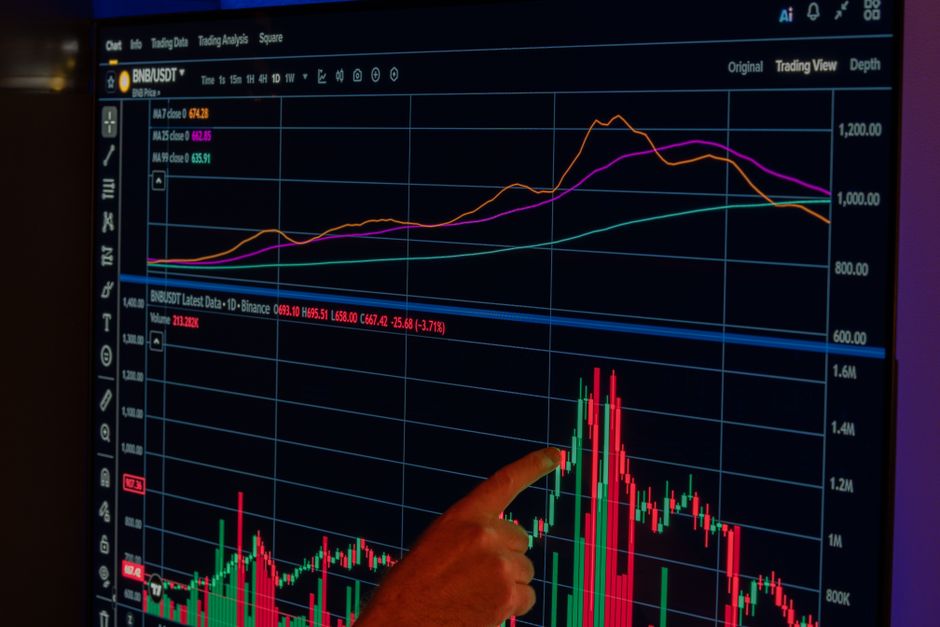
Before settling on one app, compare it with established options. The ordering below is not a ranking.
- TradingView Paper Trading. A simulated account attached to the platform's charts.
- Exchange demo modes. Exchange-run practice environments can help you learn an interface if you plan to trade on that exchange later. Test environments can differ from live conditions.
- Derivatives demo modes. Demo modes on derivatives exchanges can help you learn the interface, but derivatives carry more risk than spot, so practice with small position sizes.
- Dedicated academy apps (including crypto guru-style apps). Typically stronger on guided lessons and gamified progress, weaker on realistic fills and exchange features.
| Criteria | Charting platforms | Exchange demo modes | Academy apps |
|---|---|---|---|
| Structured lessons | Limited | Limited | Core feature |
| Realism of interface | High for charts | High for that exchange | Varies |
| Cost to start | Varies by plan | — | Varies |
| Risk of upsell to real deposits | Low | — | Varies; check monetization |
How to Practice Properly
A simulator is only as useful as the rules you impose on it. Here is a simple, repeatable routine.
- Install only from the official store listing and decline any prompt to connect an exchange account.
- Set a virtual balance that resembles money you would actually trade. Practicing with a million dollars teaches nothing about a $1,000 account.
- Write a plan before each trade: entry, stop-loss, target and reason.
- Risk a fixed percentage per trade, such as 1% of the balance.
- Log every trade in a spreadsheet, including the ones you took on impulse.
- Review weekly. Judge your process, not just profit.
Worked position-sizing example
Using real-time market data as of November 5, 2026, Bitcoin trades at $80,479 and Ethereum at $2,419. Assume a hypothetical $10,000 practice balance and a 1% risk rule, so $100 at risk per trade.
| Step | Calculation | Result |
|---|---|---|
| Entry price (BTC) | Market price | $80,479 |
| Stop-loss distance | 5% below entry | about $4,024 |
| Position size in dollars | $100 risk divided by 0.05 | $2,000 |
| Position size in BTC | $2,000 divided by $80,479 | about 0.0249 BTC |
If the stop is hit, you lose about $100, or 1% of the practice balance. That discipline is the real lesson a simulator can teach.
Pros and Cons
| Pros | Cons |
|---|---|
| No capital at risk in practice mode | Fills and fees may not match live markets |
| Lets you learn order types and charts safely | Low emotional pressure can inflate confidence |
| Structured lessons suit self-paced learners | Lesson quality varies and is rarely independently audited |
| Free tiers are common | Upsells to subscriptions or real deposits are common |
Editor's Notes on Simulator Pitfalls
These are the errors that repeatedly trip up new traders, along with the fix for each.
- Over-trading because it is free. Virtual trades cost nothing, so people place dozens a day. Fix: cap yourself at a set number of trades per week.
- Ignoring fees. Real exchanges charge maker and taker fees that eat small gains. Fix: subtract an estimated fee from every simulated trade, using the fee schedule of the exchange you plan to use.
- Assuming perfect fills. Thinly traded altcoins can slip badly in live markets. Fix: practice mainly on high-liquidity pairs.
- Moving to real money too fast. A good simulated month is a small sample. Fix: start live with a small amount and the same risk rule.
- Trusting "guru" signals. The word "guru" is a marketing term, not a credential. Nothing in a name proves trading skill. Treat signals as unverified opinions.
Price moves also matter when you practice. Over a single day, ETH moved 6.50% and ADA 4.36% in the data above. A simulator that does not let you test a stop-loss through a move of that size is not preparing you for real volatility. Practice with fixed stops and see how often they trigger.
Learn More and Next Steps
If you are building a full learning path, start with the complete fintech guide and the crypto market hub. For related practice material, read our guides on crypto paper trading for beginners and how to read crypto candlestick charts. If you later move to live trading, secure your assets first with our best crypto wallet guide. Traders curious about equities can compare with a stock market simulator guide, and you can browse more trading articles for strategy topics.
FAQ
What is a crypto guru trading academy and simulator?
It is a learning app that combines lessons on crypto trading with a practice mode using virtual money. You place simulated trades without risking real funds.
Is it safe to use a crypto trading simulator?
It is safe only if the app never requests a deposit, exchange API keys with trading permissions, wallet seed phrases or a government ID just to practice. If it asks for any of these, stop and uninstall.
Can you withdraw profits from a crypto simulator?
No. Simulator balances are virtual and have no cash value. If an app promises withdrawals of simulated profits, read the terms closely, because it may be a contest with conditions or a scam.
How to start using a crypto trading simulator?
Install from the official store listing, skip real-money prompts, set a realistic virtual balance, write a plan with a stop-loss and position size for each trade, and log the results weekly.
Why do simulator results often differ from real trading?
Simulators usually cannot fully reproduce slippage, partial fills, exchange fees, liquidity gaps or the stress of losing real money. Practice results therefore tend to look better than live results.
Educational content only. Crypto assets are volatile and you can lose all the money you invest. Prices cited come from real-time market data as of November 5, 2026.
Disclosure: Pro Trader Daily and xpertrax.com are operated by the same owner. Links and pop-ups pointing to xpertrax.com promote our own products. This article is for information only and is not financial advice.