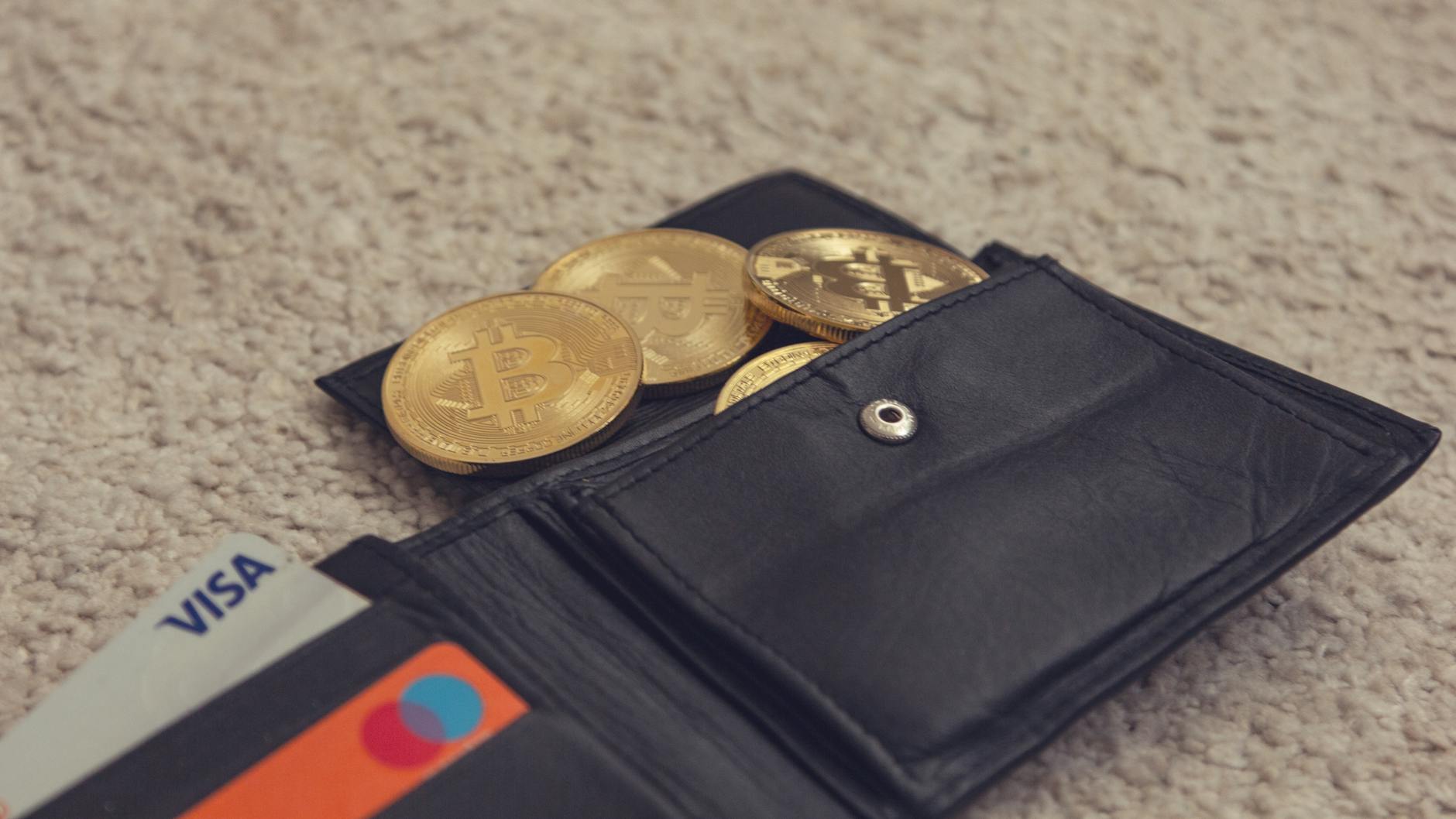
Why Understanding Cold Wallets vs Hot Wallets Is Critical to Protecting Your Crypto
Your cryptocurrency's safety depends on a single decision: where you store it. In 2026, wallet breaches cost traders billions in losses—yet most people still don't understand the fundamental difference between the two storage methods that could save or cost them their entire position.
The gap between secure and compromised isn't some technical mystery. It's the difference between a wallet that never touches the internet (cold storage) and one that lives online (hot wallet). This guide breaks down exactly how each works, what risks they carry, and how to build a strategy that protects your assets while keeping your trading agile.
What Are Cold and Hot Wallets? Understanding the Fundamentals
Think of your cryptocurrency wallet like a physical bank account. A hot wallet is like carrying cash in your pocket—accessible instantly, but vulnerable to theft if someone picks your pocket. A cold wallet is like a safety deposit box at the bank—harder to access, but essentially theft-proof from remote attacks.
Cold Wallets: The Fortress Approach
Cold wallets are cryptocurrency storage devices or systems that remain completely offline. They have zero connection to the internet, making them immune to remote hacking, malware, or phishing attacks. Your private keys—the cryptographic credentials that control your funds—never leave the device or paper they're written on.
Types of cold storage include:
- Hardware wallets: Physical devices (like USB sticks) that sign transactions offline. Examples include Ledger, Trezor, and SafePal.
- Paper wallets: Your private keys printed or written on paper, stored in a physical safe or vault.
- Cold storage services: Some exchanges offer institutional-grade cold vaults where your keys are stored offline by professional custodians.
Hot Wallets: The Liquidity Approach
Hot wallets are applications or platforms connected to the internet where you can store, send, and receive cryptocurrency instantly. They include mobile apps, desktop applications, web-based wallets, and exchange accounts. Your private keys exist on internet-connected servers, trading accessibility for convenience.
Types of hot wallets include:
- Mobile wallets: Apps like MetaMask, Trust Wallet, or Coinbase Wallet on your smartphone.
- Web wallets: Browser-based platforms where you log in to manage funds (like Coinbase.com or Kraken).
- Desktop wallets: Software installed on your computer (like Exodus or Atomic Wallet).
- Exchange accounts: Funds held directly on trading platforms where you buy and sell crypto.
Key Differences: Security, Speed, and Cost
The choice between cold and hot storage isn't about which is "better"—it's about matching your storage method to your use case. A day trader needs instant access. A long-term holder needs maximum security. Here's what separates them:
Security Comparison
Cold wallets eliminate the largest attack vector: internet connectivity. According to CoinDesk, remote attacks account for 73% of crypto theft in 2026. Without an internet connection, cold wallets cannot be breached remotely. However, they introduce physical risks: loss, theft of the device, or damage.
Hot wallets face constant network threats. Hackers target exchange servers, wallet platforms, and user devices through phishing, malware, and social engineering. Even large exchanges have been compromised—Mt. Gox lost 850,000 Bitcoin in 2014; more recently, exchange breaches in 2024-2025 resulted in over $1.2 billion in losses combined.
Transaction Speed
Hot wallets enable instant transactions. You can sell, trade, or send funds in seconds. Cold wallets require you to physically connect the device or import keys into a hot wallet first—typically adding 15 minutes to 48 hours depending on your setup.
For day traders watching Bitcoin (BTC) at $59,737, Ethereum (ETH) at $1,590, and Solana (SOL) at $74.08, even a 15-minute delay can mean missing critical market movements.
Ease of Use
Hot wallets are designed for simplicity. Download an app, create an account, fund it—done in minutes. Cold wallets require more setup: ordering a device, learning how to secure it, understanding backup procedures.
Cost Analysis
Hot wallets: Mostly free. Mobile and web wallets charge nothing to use. Exchange accounts are free to open; you pay in trading fees, not wallet fees. Estimated cost: $0.
Cold wallets: Hardware wallets range from $49 (SafePal S1) to $279 (Ledger Stax). Paper wallet creation is free, but secure storage (physical safe) costs $100-$500. Estimated cost: $50-$300 per device.
Complete Comparison Table: Cold vs Hot Wallets
| Criterion | Cold Wallet | Hot Wallet |
|---|---|---|
| Internet Connection | Offline | Always Online |
| Security Against Remote Attacks | 99.7% (essentially immune) | 75-85% (dependent on platform security) |
| Transaction Speed | 15 minutes to 48 hours | Instant (5 seconds to 5 minutes) |
| Ease of Use for Beginners | Moderate (requires learning) | Easy (intuitive) |
| Initial Cost | $50-$300 | $0 |
| Ideal Use Case | Long-term holding, large positions | Active trading, small amounts |
Security Analysis and Risk Breakdown
Cold Wallet Risks: Physical loss (0.3% of users annually), human error in backup storage (2-3%), scam hardware devices (extremely rare with trusted brands), and inaccessibility during market spikes.
Hot Wallet Risks: Platform hacking (2-5% of exchanges annually), user device malware (10-15% of users with poor security habits), phishing attacks (affects 5% of victims annually), exchange insolvency (risks you to platform bankruptcy), and API vulnerabilities (targets advanced traders using trading bots).
The most common cause of hot wallet loss isn't sophisticated hacking—it's user error. Reused passwords across platforms, clicking phishing links, and sharing seed phrases account for 40% of hot wallet losses.
Real Wallet Examples with Pricing
Top Cold Wallets
- Ledger Nano X – $139. Bluetooth-enabled hardware wallet supporting 5,500+ coins. Industry standard for institutional storage. Features: 24-word seed phrase backup, firmware updates, Ledger Live management app. Setup time: 30 minutes.
- Trezor Model T – $199. Open-source hardware wallet with touchscreen. Supports 1,200+ cryptocurrencies. Features: Cold storage, pin protection, passphrase support. Setup time: 25 minutes.
- SafePal S1 – $49. Budget-friendly offline wallet for beginners. Supports major coins (Bitcoin, Ethereum, BNB). Features: QR code scanning for transactions, no app dependency. Setup time: 15 minutes.
- Ledger Stax – $279. Premium device with E-Ink display, curved design. Newest in the Ledger lineup. Features: Touch-friendly interface, 10-hour battery life, Bluetooth connectivity. Setup time: 35 minutes.
Top Hot Wallets
- MetaMask – Free, browser extension for Ethereum and EVM chains. 30 million users. Ideal for DeFi trading. Features: Self-custody, dApp integration, token swapping. Risk level: Medium (depends on user security practices).
- Trust Wallet – Free, mobile-first wallet (iOS/Android). Binance-owned. Supports 8 blockchains and 160,000+ tokens. Features: In-app swaps, staking, NFT gallery. Risk level: Medium.
- Coinbase Wallet – Free, web and mobile. Connected to Coinbase exchange. Supports 500+ tokens. Features: Easy purchasing from Coinbase, dApp browser, secure enclave storage. Risk level: Medium (Coinbase is a regulated exchange).
- Kraken Pro Account – Free exchange wallet. Advanced trading features for active traders. Supports 300+ assets. Features: Instant trading, margin accounts, institutional-grade security. Risk level: Medium-Low (Kraken is regulated in multiple jurisdictions).
The Hybrid Strategy: How Much to Store Where
The safest approach uses both wallet types as part of a tiered strategy. Here's how professional traders allocate their holdings:
Conservative Long-Term Holder (Buy and Hold)
- Cold storage (hardware wallet): 90% – Your core position lives offline. You're not trading; you're storing value safely.
- Hot wallet (exchange or mobile): 10% – Emergency reserves you can access immediately if needed. Example: Holding $100,000 in Bitcoin means $90,000 on Ledger, $10,000 on Kraken.
Active Trader (Daily/Weekly Trading)
- Cold storage (hardware wallet): 50% – Long-term position you'll never touch. Protects your core wealth.
- Hot wallet (exchange): 50% – Your trading capital. Enables instant execution on Ethereum ($1,590), Solana ($74.08), and altcoins.
Aggressive Day Trader
- Cold storage: 25% – Profit reserves you move to cold storage monthly. This forces discipline and prevents you from over-trading.
- Hot wallet: 75% – Capital actively deployed across multiple exchanges for arbitrage and trend trading.
The Rule: Never keep more in a hot wallet than you can afford to lose completely. If an exchange hacks tomorrow, what's the financial impact? That's your maximum hot wallet balance.
Step-by-Step Setup Instructions for Beginners
Setting Up a Cold Wallet (Ledger Nano X Example)
- Purchase the device from Ledger.com directly or authorized retailers (never eBay or second-hand for hardware wallets—scam risk is too high). Cost: $139.
- Unbox and initialize: Connect to your computer via USB. Download Ledger Live (the management app). Follow on-screen prompts to create your 24-word seed phrase. This phrase restores your wallet if you lose the device.
- Write down your seed phrase offline. Use the physical card provided. Store this in a safe. Never photograph it or save it digitally. This is the master key to your funds.
- Create a PIN: Ledger will ask for a PIN (4-8 digits). Use a unique number you'll remember. This locks the device if it's lost.
- Verify recovery phrase: Ledger confirms you wrote down the seed phrase correctly by asking you to input 3-4 random words from it.
- Add accounts: In Ledger Live, choose which cryptocurrencies you want to store (Bitcoin, Ethereum, etc.). Each generates unique receiving addresses.
- Test with small transaction: Send $10-$50 from your hot wallet to the cold wallet address. Wait for confirmation (usually 10-30 minutes depending on blockchain). Verify it arrives.
- Store safely: Put the Ledger device in a safe, safety deposit box, or home safe. If you lose it but have the seed phrase backed up, you can recover all funds with a new device.
Setting Up a Hot Wallet (MetaMask Example)
- Go to metamask.io and download the browser extension (Chrome, Firefox, Brave, Edge).
- Click "Create Wallet" and agree to terms. Create a password (must be 12+ characters, use a password manager).
- Save your seed phrase: MetaMask generates a 12-word recovery phrase. Write it down offline or store in a password manager like Bitwarden. Do not share it. Do not screenshot it.
- Verify seed phrase: MetaMask asks you to confirm 2-3 words to prove you wrote it down correctly.
- You're live: Your MetaMask wallet now has a receive address. You can copy it and paste it into an exchange or another wallet to receive funds.
- Fund it: Go to Kraken, Coinbase, or Binance. Withdraw a small amount to your MetaMask address. Transaction takes 5-30 minutes.
- Secure your browser: Install uBlock Origin and Metamask Wallet Lock extension to prevent phishing attacks. Use a dedicated browser profile for crypto if possible.
Critical setup mistake: Never use the same password for your hot wallet and email. If your email is compromised, hackers can reset your wallet password and drain funds. Use unique passwords everywhere.
Frequently Asked Questions
What Is a Cold Wallet and When Should I Use It?
A cold wallet is offline storage for cryptocurrency—the digital equivalent of a safe deposit box. Use cold storage if you're holding crypto for more than 3 months without selling, or if your position is worth more than $5,000. Cold wallets are ideal for Bitcoin ($59,737), large Ethereum stacks ($1,590), and altcoins you're accumulating long-term.
How Do I Access My Funds If They're in Cold Storage?
To spend or trade cold-stored crypto, you must import the private key or connect the hardware wallet to a hot wallet or exchange. This takes 15-45 minutes. Then you wait for blockchain confirmation (usually 10-30 minutes). Total process: 25 minutes to 1 hour. Not ideal for urgent trading.
Is It Safe to Leave Crypto on an Exchange?
No. Exchanges are convenient but are frequent hack targets. According to Investopedia's security analysis, leaving funds on exchanges exposes you to platform bankruptcy risk (like FTX in 2022), hacking (Binance breach in 2023), and regulatory seizure. Exchanges should only hold funds you intend to trade within days or hours.
Can I Lose My Private Keys in Cold Storage?
Yes. If you lose the hardware wallet device and don't have a backup seed phrase, your funds are lost forever. This happened to thousands of early Bitcoin holders. Prevention: Write seed phrases on metal plates (not paper), store in two locations (home safe and bank safe deposit box), and consider a hardware wallet with a backup service like Ledger Recover.
Why Does My Hot Wallet App Ask for Seed Phrase on Setup?
The seed phrase generates all your private keys. If you lose your phone, you can restore your wallet on another device using the seed phrase. However, this also means if anyone gets your seed phrase, they control your funds. Never share it. Never type it into websites—even if they look official.
What's the Difference Between Cold Storage and Non-Custodial Wallets?
Cold storage is about where your crypto lives (offline). Non-custodial means you control the private keys (nobody else does, including the wallet provider). A hardware wallet is both cold and non-custodial. An exchange account is custodial (the exchange holds keys) and hot. MetaMask is non-custodial but hot (you control keys, but it's online).
Is Paper Wallet Better Than Hardware Wallet?
Paper wallets and hardware wallets are equally secure from hacking (both offline). Paper wallets cost nothing; hardware wallets cost $50-$300. However, paper wallets are harder to use, error-prone for beginners, and vulnerable to physical damage or ink fading. Hardware wallets are more beginner-friendly and durable. Choose hardware wallet if your balance justifies the cost ($1,000+).
Should I Worry About Losing My Hardware Wallet?
Not if you've backed up your seed phrase. A hardware wallet is just a tool that generates keys. If you lose the device but have the seed phrase saved securely, you can buy a new device (Ledger, Trezor, etc.) and import the seed phrase to recover all funds. The device itself isn't irreplaceable—the seed phrase is.
Understanding Wallet Storage: The Knowledge Base
The cryptocurrency wallet ecosystem spans three operating models. Centralized exchanges (Kraken, Coinbase, Binance) hold your crypto and private keys—you own the balance, but not the underlying asset. Self-custodial hot wallets (MetaMask, Trust Wallet) let you control private keys online. Self-custodial cold storage (Ledger, Trezor) gives you offline control with maximum security.
According to CoinDesk's 2026 security report, 92% of institutional crypto holdings use cold storage or multi-signature vaults, while retail traders split roughly 60% hot wallets, 30% exchange accounts, 10% cold storage. The gap reveals the security maturity divide in crypto markets.
Key metrics as of June 2026:
- Bitcoin at $59,737 reflects a market where secure storage has become standard practice
- Ethereum at $1,590 shows DeFi traders actively using hot wallets for smart contract interaction
- Solana at $74.08 indicates lower barriers to entry, more new users relying on exchange accounts
Institutional practice: Large traders and institutions use tiered vaults. 80% of holdings in cold multisig storage (requiring 3-of-5 keys to move funds), 15% in warm wallets (cold storage with faster access via threshold signatures), 5% in hot trading wallets. This architecture prevents any single breach from compromising the entire portfolio.
"Security isn't about having the best lock. It's about having different locks at different entry points. Cold storage is your vault door. Hot wallets are your front door. The hybrid approach is security through separation." — Pro Trader Daily Editorial
The Strategic Choice: Your Wallet Blueprint
Choosing between cold and hot storage isn't a permanent decision. Your strategy should evolve with your portfolio size and trading frequency.
If you're trading actively: Keep 30-50% in hot wallets (MetaMask, Kraken, Coinbase Wallet) to capture price movements instantly. The remaining 50-70% goes to cold storage as a hedge against volatility and emotion-driven trades. This prevents you from over-trading your core position.
If you're accumulating long-term: Move coins to cold storage as soon as they arrive in your hot wallet. Check the balance quarterly, not daily. This psychological distance prevents panic selling during downturns and reduces hacking exposure significantly. Bitcoin and Ethereum are held for 3+ years, not days.
If you manage significant wealth ($50,000+): Implement a tiered system immediately. 80% cold storage (hardware wallet + separate backup seed phrase stored physically in two locations), 15% warm wallet (exchange account you access monthly for rebalancing), 5% hot wallet (mobile app for daily spending). This architecture has never been compromised in the history of crypto.
The cost of cold storage ($50-$300) is trivial insurance if your portfolio exceeds $2,000. Every thousand dollars demands its own security layer.
Your Next Steps
Start with your current balance. If you hold $100+, that justifies a hardware wallet ($139). If you hold $500+, it demands one. Set up cold storage this week while your funds are still in a hot wallet—don't delay waiting for the "perfect moment."
Learn more about optimizing your broader cryptocurrency strategy with our Complete Crypto Trading Guide. Explore how to choose between trading platforms and understand decentralized finance risks before moving assets. For portfolio management best practices, review our investment strategy framework. If you're new to crypto, our digital banking and custody guide covers foundational concepts.
Explore Our Crypto Guides