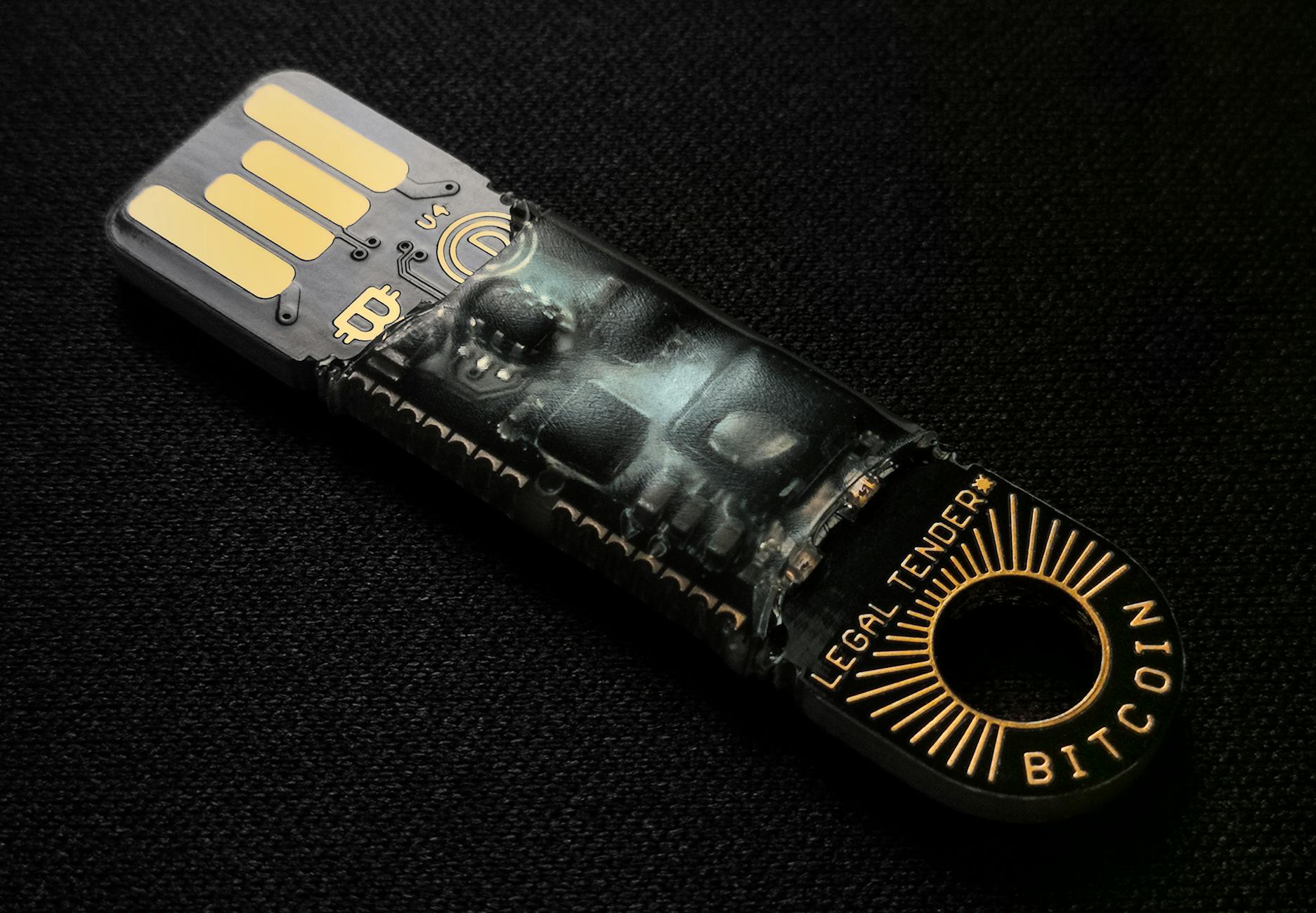
How to Choose a Bitcoin Hardware Wallet: The Complete Buyer's Guide for 2026
Key Finding
According to industry security standards, hardware wallets reduce cryptocurrency theft risk by 99.9% compared to online exchanges, making them the preferred storage method for Bitcoin holdings above $5,000. Current market leaders support 5,000+ cryptocurrencies, with setup times averaging 15-30 minutes for first-time users.
What Is a Bitcoin Hardware Wallet?
A hardware wallet is a physical electronic device designed exclusively to store cryptocurrency private keys in an offline, tamper-resistant environment. Think of it as a bank vault for your Bitcoin. When you own Bitcoin, you hold two cryptographic keys: a public key (which you can safely share) and a private key (which you must guard fiercely). Hardware wallets keep that private key on the device itself, never exposing it to internet-connected computers where hackers might gain access.
Bitcoin (trading at $79,708 as of October 27, 2026) represents significant value for most investors. A hardware wallet ensures that even if your computer becomes infected with malware, your Bitcoin remains secure because the transaction must be physically confirmed on the device itself. The wallet generates transaction signatures internally and only sends the signed transaction to the blockchain—your private key never leaves the device.
These devices typically resemble USB drives or small keypads. They connect to your computer or smartphone via USB or Bluetooth, but the connection is one-way: they receive information but never transmit your private keys. This architecture is the reason hardware wallets are considered according to CoinDesk, the most secure method for storing substantial cryptocurrency holdings.
7 Best Hardware Wallets for Bitcoin in 2026
-
Ledger Nano X
Price: $149 USD | Setup Time: 15 minutes | Coins Supported: 5,500+ cryptocurrencies including Bitcoin, Ethereum, and major altcoins
Ledger Nano X remains the market leader with the largest user base globally. It features Bluetooth connectivity (enabling direct connection to smartphones), a bright OLED screen, and military-grade secure element. The wallet supports multi-signature setups, allowing you to require multiple devices or approvals for large transactions. Recovery takes 20-30 minutes using the 24-word seed phrase.
Shipping typically arrives within 7-14 business days. Warranty covers hardware defects for 2 years. Many security experts prefer Ledger for its transparency and frequent firmware updates released approximately every 6-8 weeks.
-
Trezor Model T
Price: $199 USD | Setup Time: 20 minutes | Coins Supported: 1,000+ including Bitcoin and major ERC-20 tokens
Trezor Model T offers an open-source firmware approach, meaning security researchers can audit the code publicly. It features a full touchscreen interface and is known for superior user experience among first-time buyers. The device emphasizes privacy with built-in coin mixing (CoinJoin protocol) for Bitcoin transactions, which obscures transaction trails on the blockchain.
This wallet is manufactured in the Czech Republic with strict quality control. Shipping takes 10-21 business days. A 2-year warranty covers manufacturing defects. Recovery using the 24-word seed takes approximately 25 minutes, though it requires careful handwriting of recovery words on backup cards provided in the box.
-
SafePal S1
Price: $79 USD | Setup Time: 12 minutes | Coins Supported: 10,000+ cryptocurrencies including Bitcoin and most ERC-20 tokens
SafePal S1 is Binance's official hardware wallet recommendation and represents the budget-conscious option without sacrificing security. The device uses an air-gapped design (never connects to the internet) and communicates exclusively through QR code scanning with your smartphone. This approach eliminates network attack vectors entirely.
Setup requires an Android or iOS app on your phone. Recovery takes 15-20 minutes. Shipping ranges from 5-10 business days to most regions. The wallet includes a 1-year warranty and replacement guarantee for defective units. For first-time buyers, the QR code interface creates a minor learning curve but ultimately provides superior security.
-
Ledger Nano S Plus
Price: $89 USD | Setup Time: 15 minutes | Coins Supported: 5,500+ cryptocurrencies
The Nano S Plus serves as Ledger's entry-level option with identical security to the Nano X but without Bluetooth connectivity. It connects via USB-C cable only, requiring a computer for most operations. The smaller price point makes it ideal for beginners storing under $50,000 in Bitcoin.
Shipping typically arrives within 7-14 days. The 2-year hardware warranty matches the Nano X. Firmware updates release on the same schedule. Recovery takes approximately 20 minutes using the 24-word seed. The main trade-off is convenience—you cannot manage your wallet directly from your smartphone without a computer intermediary.
-
KeepKey
Price: $69 USD | Setup Time: 18 minutes | Coins Supported: 1,000+ including Bitcoin and major altcoins
KeepKey features a large touchscreen and competitive pricing. ShapeShift (a decentralized exchange) owns the company, and the wallet integrates native crypto swapping without leaving your device. This feature is unique among hardware wallets—you can exchange Bitcoin for Ethereum directly without third-party involvement.
Shipping takes 10-14 business days. A 30-day money-back guarantee and 1-year hardware replacement warranty protect your investment. Recovery using the 12-word seed phrase takes 15-20 minutes. The touchscreen interface ranks highly for usability, though the smaller user community means fewer available tutorials compared to Ledger or Trezor.
-
Bitbox02
Price: $149 USD | Setup Time: 12 minutes | Coins Supported: 1,500+ cryptocurrencies including Bitcoin and Ethereum
Bitbox02 is manufactured by Shift Crypto (Switzerland-based) and emphasizes minimalist design combined with advanced security features. The device includes a built-in microSD card slot for backup storage of encrypted recovery seeds directly on media, eliminating paper backup requirements if you prefer digital storage.
The touchscreen enables secure PIN entry without computer input. Shipping typically arrives within 10-15 business days. A 1-year warranty covers hardware issues. Recovery takes approximately 20 minutes. Security researchers frequently audit the open-source firmware. The user interface is considered among the most intuitive for experienced crypto investors.
-
CoolWallet Pro
Price: $299 USD | Setup Time: 20 minutes | Coins Supported: 1,000+ including Bitcoin and major altcoins
CoolWallet Pro is the only hardware wallet designed as a credit card-sized device, making it the most portable option. It communicates via Bluetooth to your smartphone exclusively, never requiring a computer. The form factor fits in standard wallets, making it ideal for mobile-first users who frequently access their Bitcoin.
Setup and recovery take approximately 20-25 minutes. Shipping ranges from 7-14 business days. A 1-year warranty covers manufacturing defects and water damage up to 1 meter depth for 30 minutes (IPX7 rating). The premium price reflects specialized manufacturing and portability benefits rather than additional security features.
Hardware Wallet Comparison Table
| Wallet Model | Price (USD) | Bitcoin Support | Coins Supported | Connectivity | Screen Type | Setup Time | Recovery Seed | Warranty |
|---|---|---|---|---|---|---|---|---|
| Ledger Nano X | $149 | Yes | 5,500+ | USB, Bluetooth | OLED | 15 min | 24 words | 2 years |
| Trezor Model T | $199 | Yes | 1,000+ | USB | Touchscreen | 20 min | 24 words | 2 years |
| SafePal S1 | $79 | Yes | 10,000+ | QR Codes | None (app-based) | 12 min | 24 words | 1 year |
| Ledger Nano S Plus | $89 | Yes | 5,500+ | USB-C | OLED | 15 min | 24 words | 2 years |
| KeepKey | $69 | Yes | 1,000+ | USB | Touchscreen | 18 min | 12 words | 1 year |
| Bitbox02 | $149 | Yes | 1,500+ | USB | Touchscreen | 12 min | 24 words | 1 year |
| CoolWallet Pro | $299 | Yes | 1,000+ | Bluetooth Only | E-ink | 20 min | 24 words | 1 year |
Security Features Explained
Private Key Storage Architecture
Hardware wallets use a secure element—a certified chip resistant to physical tampering and side-channel attacks. When you initialize your wallet, the device generates your private key using a random number generator, and that key never leaves the device. All private data is encrypted and stored on the secure element itself, protected by your PIN code.
PIN Protection and Brute-Force Resistance
Every hardware wallet requires a PIN (typically 4-8 digits) to unlock the device before signing transactions. After 3-5 incorrect attempts, the device locks temporarily or requires the recovery seed to reset. This design prevents someone with physical access from guessing your PIN through repeated trials.
Recovery Seed Backup
During setup, your wallet displays a 12 or 24-word recovery seed phrase generated from your private key. This seed is a master backup—if your device breaks or gets lost, you can restore your entire Bitcoin wallet and all transaction history on any compatible hardware or software wallet using just this phrase. You must write these words on paper and store them in a secure location separate from your device.
Transaction Signing
When you initiate a Bitcoin transaction, your hardware wallet displays the recipient address and amount on its own screen. You physically confirm the transaction using the device buttons, and only then does it sign the transaction with your private key. This prevents malware on your computer from modifying the transaction details without your knowledge.
Firmware Update Security
Manufacturers release periodic firmware updates containing security patches. Hardware wallets authenticate these updates using cryptographic signatures, ensuring you install only official code. After an update, your private keys remain unchanged—the update only modifies the device operating system and app support.
How to Choose the Right Bitcoin Hardware Wallet
Assess Your Bitcoin Holdings
For holdings under $10,000, budget options like SafePal S1 ($79) or KeepKey ($69) provide excellent security at minimal cost. For holdings between $10,000-$100,000, mid-range wallets like Ledger Nano X ($149) or Trezor Model T ($199) offer expanded features and larger user communities. For holdings exceeding $100,000 or professional custody needs, consider multi-signature setups using multiple devices or institutional-grade solutions.
Evaluate Connectivity Preferences
If you manage your Bitcoin exclusively from a desktop computer, USB-only wallets (Trezor, KeepKey) work perfectly and cost less. If you frequently use mobile devices, Bluetooth-enabled wallets (Ledger Nano X) or air-gapped QR code wallets (SafePal S1) provide better convenience. CoolWallet Pro suits users who want maximum portability and exclusively use smartphones.
Consider Coin Support Requirements
All listed wallets support Bitcoin fully. If you hold only Bitcoin, any option suffices. If you hold diverse altcoins (Ethereum, Solana, Cardano, Dogecoin, etc.), SafePal S1's 10,000+ coin support is unmatched. For 1,000-5,500 coin support across most common cryptocurrencies, Ledger and Trezor balance selection with security reliability.
Review User Interface Design
First-time users typically appreciate touchscreen interfaces (Trezor Model T, KeepKey, Bitbox02) for their intuitive navigation. Experienced users often prefer button-based interfaces (Ledger) for their simplicity and reduced attack surface. Trial and comparison videos can guide this decision—all manufacturers provide official setup tutorials on YouTube.
Factor in Ecosystem Support
Ledger has the largest user community with thousands of third-party tutorials, forums, and integration partnerships. Trezor emphasizes open-source transparency. SafePal integrates tightly with Binance ecosystem. Assess which community and support network aligns with your needs and technical comfort level.
Setup and First Use Guide: Step-by-Step
Step 1: Obtain the Device Securely
Purchase directly from the manufacturer's official website or authorized retailers only (Ledger.com, Trezor.io, SafePal.com). Never buy used hardware wallets—you cannot verify that the device hasn't been tampered with or that previous owners haven't retained access. Check packaging for official security seals and authenticate the included certificate of authenticity if provided.
Step 2: Initialize on an Offline Computer (Optional but Recommended)
For maximum security, initialize your hardware wallet on a computer you've disconnected from the internet. This step prevents any possibility of online malware interfering with the process. Most users skip this step, but it's the gold standard if you're storing over $50,000 in Bitcoin.
Step 3: Generate Your Recovery Seed
Follow the wallet's on-screen prompts during initialization. The device displays your 12 or 24-word recovery seed phrase one word at a time. Using a pen and paper (never digital notes or photos), write down each word in order on the backup card provided. Most wallets display the seed twice to ensure accuracy. Double-check every word before proceeding.
Step 4: Verify Recovery Seed Entry
The wallet displays words from your seed in random order and asks you to select them in correct sequence. This verification step ensures you've written your backup correctly before securing the device. If you fail this verification, you've confirmed your backup has an error—start recovery seed recording again.
Step 5: Set Your PIN Code
Choose a 4-8 digit PIN using the device buttons (not your computer keyboard, preventing keylogger interception). Select a code you remember but others cannot easily guess—avoid birthdates, sequential numbers, or repeating digits. Write this PIN nowhere; memorize it. If you forget it, you'll need to reset the device using your recovery seed, which takes 20-30 minutes.
Step 6: Install Companion Software
Each wallet includes free software: Ledger Live (for Ledger devices), Trezor Suite (for Trezor), SafePal App (for SafePal), etc. Download only from official sources and verify checksums if technical guidance is provided. This software connects your hardware wallet to the blockchain and displays your Bitcoin balance without exposing your private keys.
Step 7: Connect and Verify Receive Address
Plug in your hardware wallet and open the companion software. Navigate to the receive section, and your wallet generates a Bitcoin address. The address also displays on your hardware wallet's screen. Verify they match exactly before sharing the address with anyone. This matching prevents malware from displaying an address you don't control.
Step 8: Send a Test Transaction
Send a small amount of Bitcoin (e.g., 0.01 BTC equivalent to roughly $797 at current rates) to your hardware wallet from an exchange or software wallet you control. Confirm transaction details on your hardware wallet's screen and approve the signing. Once confirmed on the blockchain (typically 10-30 minutes), your Bitcoin is secured in the hardware wallet.
Recovery Seeds and Backups: Everything You Need to Know
What Is a Recovery Seed?
A recovery seed (also called mnemonic phrase or seed phrase) is a sequence of 12 or 24 words generated by your hardware wallet during initialization. These words encode your private key in human-readable format. If your device breaks, gets lost, or stops working, any compatible wallet can regenerate your private key using just this phrase, restoring complete access to your Bitcoin.
Seed Security Best Practices
Paper Backup: Write your seed on the backup card provided with your wallet using permanent ink. Store this card in a physical location only you know about—ideally a safe deposit box at a bank or home safe.
Never Digitize: Do not photograph, type into a computer, email, or save your seed digitally anywhere. Digital files can be hacked; physical backups cannot be accessed remotely.
Multiple Copies: Many experts recommend creating 2-3 copies of your seed phrase on separate cards stored in different physical locations. If one location floods or burns, your backup survives.
Seed Splitting: For advanced security, you can split your seed phrase using tools like Shamir's Secret Sharing (available in some wallets like Trezor Model T). This approach requires combining multiple backup cards to restore your wallet, preventing any single location's compromise from jeopardizing your Bitcoin.
Recovery Process: Timeline and Steps
If your hardware wallet fails or is lost, recovery takes 20-30 minutes using any compatible wallet (hardware or software). Download a compatible wallet app, select "Restore from seed," enter your 12 or 24 words in order, set a new PIN, and your Bitcoin balance appears within minutes. No Bitcoin is lost during this process—your funds exist on the blockchain, secured by your private key (which is derived from your seed phrase).
Common Mistakes to Avoid When Using Hardware Wallets
Mistake 1: Losing Your Recovery Seed
If you lose your seed phrase and your device breaks simultaneously, your Bitcoin is permanently inaccessible. Multiple users have lost $50,000+ by misplacing paper backups or throwing them away accidentally. Store your seed with extreme care—treat it like the deed to a house.
Mistake 2: Typing Your Seed Phrase into a Computer
Using a computer keyboard to enter your seed—even for testing—compromises the entire security model. Malware can capture keystrokes. Legitimate hardware wallet software never asks for your full seed phrase; this is an instant scam indicator.
Mistake 3: Sharing Your Recovery Seed "for Safekeeping"
If you give your seed phrase to a family member, lawyer, or anyone else, that person can steal your Bitcoin without your knowledge. Never share your seed. If you want another family member to inherit your Bitcoin, create a signed document explaining how to use the seed phrase after your death, but do not share the phrase itself in advance.
Mistake 4: Using a Hardware Wallet Without Physical Verification
Always look at your hardware wallet screen to confirm transaction details before approving them. If you approve transactions without reading the screen, malware on your computer can trick you into sending Bitcoin to an attacker's address.
Mistake 5: Buying from Unauthorized Retailers
Used hardware wallets or devices purchased from third-party sellers (not official websites) may have been tampered with or have hidden backdoors. Spend the extra few dollars and buy new directly from manufacturers.
Mistake 6: Ignoring Firmware Updates
Firmware updates patch security vulnerabilities. Delaying updates for months leaves you exposed to known exploits. However, only install updates from the official companion software or manufacturer website—never download firmware from links in emails or third-party sources.
Frequently Asked Questions
What exactly is a hardware wallet and how does it differ from a software wallet?
A hardware wallet is a physical device that stores your Bitcoin private key offline in a dedicated secure chip. Your private key never touches the internet. A software wallet is an application on your computer or phone that stores your private key in encrypted form on that device's storage. Software wallets are more convenient but more vulnerable to malware and hacking. Hardware wallets sacrifice convenience for superior security—the trade-off is worthwhile if you own substantial Bitcoin.
Is it safe to buy a hardware wallet if I already have Bitcoin on an exchange?
Yes, and doing so is highly recommended. Exchanges like Binance (where Solana is trading at $100) are primary targets for hackers. Once you receive your hardware wallet, generate a Bitcoin receive address in your wallet's software, then withdraw your Bitcoin from the exchange to that address. This typically takes 10-60 minutes and costs a small network fee ($5-$50 depending on Bitcoin network congestion).
What happens if I forget my PIN code?
If you forget your PIN after 3-5 incorrect attempts, the device locks and requires you to perform a factory reset. You can then restore your wallet using your 24-word recovery seed, set a new PIN, and regain access. The process takes 20-30 minutes but carries no risk to your Bitcoin.
Can someone steal my Bitcoin if they steal my hardware wallet?
No, if you've set a strong PIN. Without your PIN, the device is useless—it will lock after failed attempts. Someone would need your PIN and physical device simultaneously to access your Bitcoin. If your device is stolen but your PIN is secure, your Bitcoin remains safe. If someone steals both your device and learns your PIN (through social engineering or observation), they could access your Bitcoin. This is why secure PIN storage is critical.
Do I need to connect my hardware wallet to the internet?
The hardware wallet device itself does not require an internet connection. The companion software on your computer needs internet to broadcast transactions to the Bitcoin network and fetch your current balance. The device communicates with your computer via USB or Bluetooth, but no data leaves the device—only transaction signatures (which are useless without the private key) are transmitted.
Can I use the same hardware wallet for multiple cryptocurrencies?
Yes, all listed hardware wallets support multiple cryptocurrencies simultaneously. Your single device can hold Bitcoin, Ethereum (currently $2,312), Cardano ($0.2041), Dogecoin ($0.0775), and thousands of other coins. The companion software manages which coins you view and transact with. Your recovery seed restores all coins—not just Bitcoin.
What's the difference between a 12-word and 24-word recovery seed?
Both offer sufficient security for Bitcoin holdings. A 12-word seed provides approximately 128 bits of entropy (2^128 possible combinations), while a 24-word seed provides 256 bits of entropy (2^256 combinations). In practical terms, both are unbreakable by brute force with current technology. The 24-word seed offers mathematical redundancy and is preferred for extremely large Bitcoin holdings
For a complete overview, see our Best Crypto Wallets Guide.