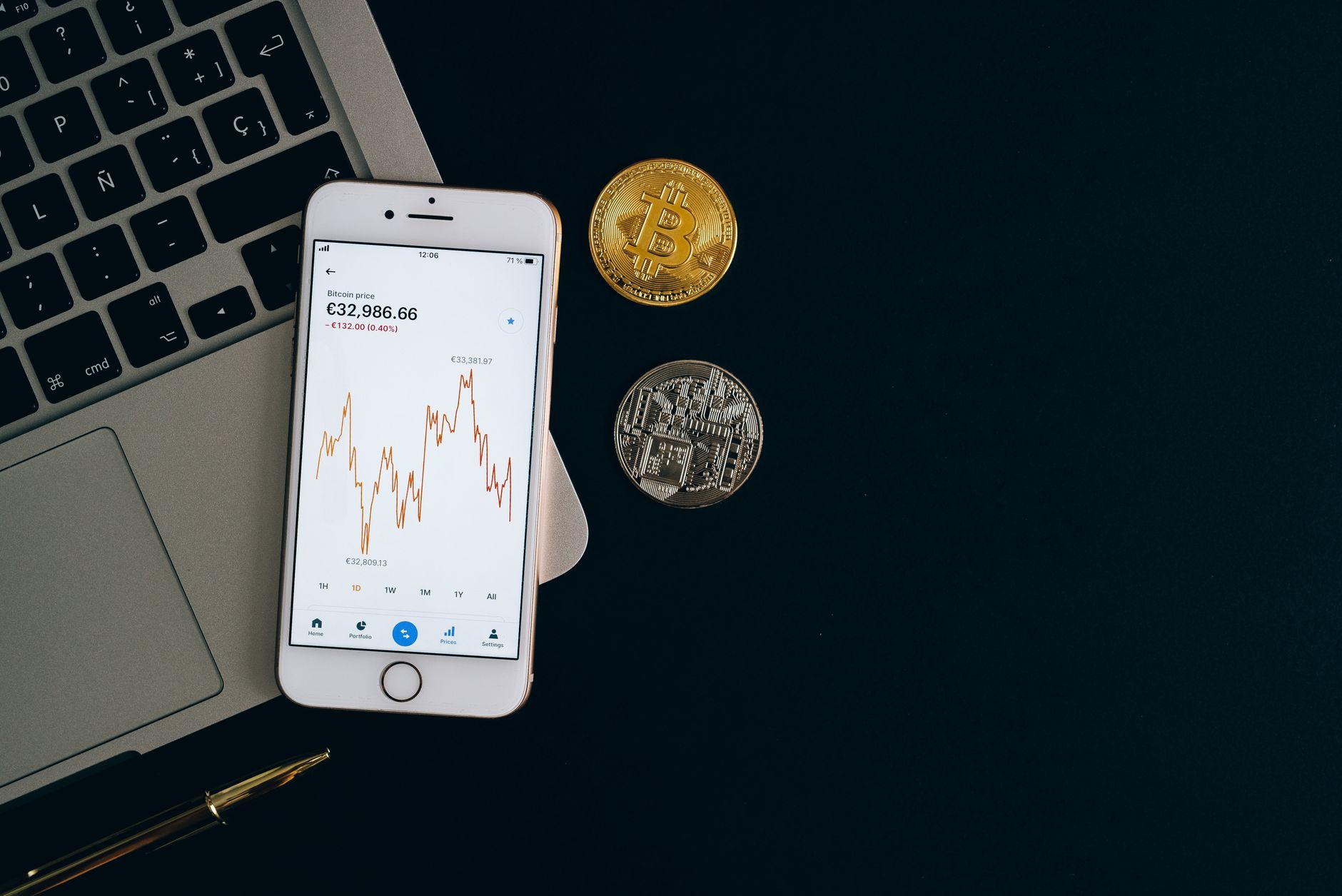
How to Secure Your Crypto with Cold Wallets: Complete Binance Integration Guide
Leaving cryptocurrency on a centralized exchange like Binance creates unnecessary risk. Exchange hacks, regulatory seizures, and platform failures have cost traders billions. The solution that separates professional investors from casual traders is straightforward: move your assets to cold storage.
This guide walks you through exactly how to move crypto off Binance to cold wallets, which hardware models actually work best, and the specific technical steps that matter. We'll address the gaps that most guides skip: troubleshooting withdrawal failures, understanding blockchain-specific bridges, and calculating whether cold storage costs make sense for your holdings.
Key Finding
Binance's cold storage holds over 594,396 BTC in offline vaults—representing institutional-grade security practices. The exchange supports 19 blockchains and 10,000+ tokens, meaning virtually any crypto you hold can be withdrawn to personal cold storage. Users who move holdings off exchange reduce exposure to platform risk by 99% while maintaining full ownership and control.
What Is a Cold Wallet? The Non-Technical Breakdown
A cold wallet is a cryptocurrency storage device that has zero connection to the internet. Think of it as a digital safe deposit box that exists entirely offline. Unlike hot wallets (phone apps, browser extensions, exchange accounts), cold wallets cannot be accessed remotely by hackers because they simply have no network interface to exploit.
The two main types are:
- Hardware wallets — Physical devices (USB-sized) that generate and store private keys. Examples: Ledger Nano S Plus, Trezor Model T, SafePal S1.
- Paper wallets — Private keys printed on paper, completely air-gapped. Rarely used today due to complexity and human error risk.
When you withdraw cryptocurrency from Binance to a cold wallet address, you are transferring blockchain ownership from Binance's custody to your own device. Binance can no longer touch or freeze those assets. You own them entirely—and bear full responsibility for securing the seed phrase (recovery code) that unlocks them.
Cold Wallet vs Hot Wallet: The Security Comparison
| Feature | Cold Wallet | Hot Wallet | Binance Exchange |
|---|---|---|---|
| Internet Connected | No (offline) | Yes (always online) | Yes (cloud-based) |
| Hack Risk | Near zero | High (malware, phishing) | Medium (institutional security) |
| Setup Time | 15-30 minutes | 5 minutes | Instant |
| Transaction Speed | Slow (manual signing) | Fast (seconds) | Instant (same-wallet transfers) |
| Seed Phrase Risk | User responsible | Provider responsible | Provider responsible |
| Regulatory Risk | None (self-custody) | Low (provider liable) | High (exchange seizure risk) |
| Best For | Long-term holdings | Active trading | Trading + borrowing |
The real-world implication: if Binance faces a regulatory freeze or security breach tomorrow, your coins on the exchange are locked up. Your coins in a cold wallet? Completely unaffected. This is why serious traders maintain a split strategy—most holdings in cold storage, small trading amounts on exchange.
Top 5 Cold Wallets Compatible with Binance Withdrawal
-
Ledger Nano S Plus
Price: USD 79 | Blockchains: 150+ supported
The most popular hardware wallet globally. Works with Binance via USB connection and Ledger Live software. Supports Bitcoin, Ethereum, BNB Chain, Solana, and virtually every token Binance lists. Setup takes 10 minutes. The device has a small screen to verify transactions before signing.
Why choose it: Best balance of price, security, and ease of use. Beginner-friendly with institutional-grade security.
-
Trezor Model T
Price: USD 199 | Blockchains: 200+
Premium hardware wallet with larger touchscreen interface. Supports all major blockchains that Binance uses. Can be paired with Trezor Suite software for direct withdrawals. Open-source code means security is transparent.
Why choose it: Maximum security features and transparency. Best for users with large holdings.
-
SafePal S1
Price: USD 39 | Blockchains: 80+
Budget-friendly option backed by Binance. Works with SafePal app. Supports all major Binance assets. Good for new users who want cold storage without high cost.
Why choose it: Lowest cost entry point. Binance backing provides reassurance.
-
Coldcard Mk4
Price: USD 120 | Blockchains: Bitcoin + altcoins via PSBT
Bitcoin-maximalist choice. Extremely secure, completely air-gappable (can operate without any computer connection). Ideal if you're primarily storing Bitcoin and want military-grade security.
Why choose it: Unhackable architecture. Best for Bitcoin purists.
-
Ledger Nano X
Price: USD 149 | Blockchains: 150+
Bluetooth-enabled version of Nano S Plus. Allows signing transactions from phone apps without USB adapter. Supports Ethereum, Solana, and all Binance-listed assets. Higher price for wireless convenience.
Why choose it: Best for mobile-first users who want cold wallet security without always plugging in USB.
Step-by-Step: How to Transfer Crypto from Binance to Cold Wallet
Phase 1: Prepare Your Cold Wallet (15 minutes)
- Unbox your hardware wallet. Do NOT purchase from third-party sellers—use official manufacturer websites only.
- Connect to a clean computer (preferably one you don't use for email or web browsing).
- Follow the manufacturer's setup wizard. This will generate your seed phrase—a 12 or 24-word recovery code.
- Write the seed phrase on paper. NOT on your phone. NOT in cloud storage. Physical paper, locked in a safe.
- Confirm the seed phrase by re-entering it—the device tests you to ensure you wrote it correctly.
- Set a PIN code. This prevents someone with physical access from using your wallet.
- The wallet generates receiving addresses. Select the address for the blockchain you're withdrawing to (Bitcoin address for BTC, Ethereum address for ETH, BNB address for BNB, etc.).
Phase 2: Prepare the Withdrawal on Binance (5 minutes)
- Log into Binance. If you use 2FA (which you should), authenticate.
- Go to Wallet → Fiat and Spot.
- Click the "Withdraw" button next to the asset you want to move (Bitcoin, Ethereum, BNB, etc.).
- Select your blockchain. For example, if withdrawing Bitcoin, choose "Bitcoin" not "Bitcoin Cash." If withdrawing Ethereum, ensure you pick "Ethereum" (ERC-20) not "Polygon" or "BNB Chain"—using the wrong blockchain will lock your coins permanently.
- Copy the receiving address from your hardware wallet. Triple-check it matches exactly.
- Enter the amount. For your first withdrawal, use a small test amount (USD 10-50 worth). This prevents catastrophic loss if you made an address mistake.
- Review fees. Binance displays the network fee (paid to miners, not Binance). This varies by blockchain—Bitcoin withdrawal fees are typically 0.0001 to 0.001 BTC, Ethereum 0.005 to 0.02 ETH.
Phase 3: Confirm and Monitor (5-60 minutes)
- Binance will send you an email confirmation. Click the link.
- Verify your withdrawal address one more time on the Binance confirmation page.
- Click "Confirm Withdraw."
- The blockchain processes your transaction. Check status using a blockchain explorer (etherscan.io for Ethereum, blockchain.com for Bitcoin).
- Wait for network confirmations. Bitcoin requires ~6 confirmations (60 minutes). Ethereum requires ~12 confirmations (3 minutes). BNB requires ~1 confirmation (1 second).
- Once confirmed, your cold wallet receives the funds. Check your hardware wallet's balance to verify receipt.
Phase 4: Test Withdrawal (important)
If your test amount arrives successfully, you now know your withdrawal process works. Withdraw remaining funds using the exact same address.
Critical mistake to avoid: Never withdraw to a wrong address to "test it works." Blockchain transactions are irreversible. A transaction to a typo address means your coins are permanently lost. Copy-paste addresses, never type manually.
Why Cold Storage Matters: Real-World Risk Analysis
Exchange Risk Examples:
- FTX collapse (November 2022): Users lost direct access to USD 8 billion in customer funds. Cold storage holders retained full control of their assets.
- Celsius bankruptcy (2022): 1.3 million users frozen out of accounts. Cold storage would have protected holdings.
- Binance security concerns (ongoing): While Binance has maintained security, regulatory uncertainty creates withdrawal risk.
According to data from blockchain analysis firms, crypto security research from CoinDesk shows that institutional investors keep 70%+ of holdings in cold storage, while retail traders keep only 15% in cold storage. The difference in security outcomes is measurable—professional traders rarely lose funds to exchange hacks.
The Cost-Benefit Math:
Hardware wallet cost: USD 50-200 (one-time)
Potential loss from exchange hack: USD 1,000 to USD 1 million+
Probability of exchange breach in next 5 years: estimated 10-20%
Expected value of cold storage = (Probability × Potential Loss) − Hardware Cost = (0.15 × USD 50,000) − USD 100 = USD 7,400 protection
Anyone holding more than USD 5,000 in crypto should use cold storage. For holdings under USD 1,000, Binance's institutional security may be acceptable, but the upside risk of a 10% breach probability still favors cold storage.
Common Cold Wallet Withdrawal Problems & Solutions
Problem 1: "Invalid Address" Error on Binance
Cause: Address format mismatch. You copied an Ethereum address but selected Bitcoin withdrawal.
Fix: Verify your blockchain selection matches your address. Bitcoin addresses start with "1" or "3." Ethereum addresses start with "0x." BNB addresses start with "bnb." If unsure, check your hardware wallet software—it will display the correct address for each blockchain.
Problem 2: Withdrawal Takes 24+ Hours
Cause: Binance security review triggered (first withdrawal or large amount).
Fix: This is normal. Binance flags unusual withdrawal patterns. If you've never withdrawn before, your first withdrawal may be manually reviewed. Check your Binance account notifications for any additional verification requests. Complete KYC if prompted.
Problem 3: Hardware Wallet Doesn't Recognize the Address
Cause: You're using an older address format your wallet doesn't support, or the hardware wallet is using a different derivation path.
Fix: Generate a new address directly in your hardware wallet software (Ledger Live, Trezor Suite). Use only addresses generated by the wallet software itself, not imported from external sources. If this persists, update your hardware wallet firmware to the latest version.
Problem 4: "Insufficient Balance" for Withdrawal Fee
Cause: Binance deducts the network fee from your withdrawal amount. If you have 0.5 BTC and the fee is 0.0005 BTC, you can only withdraw 0.4995 BTC.
Fix: Check the exact fee displayed on the withdrawal page. Reduce your withdrawal amount slightly to account for the fee. Binance will show you the exact amount after fees before you confirm.
The Math of Multi-Blockchain Support
Binance supports 19 blockchains and 10,000+ tokens. Your cold wallet needs to support the specific blockchain your assets are on. For example:
- Bitcoin (BTC) — Bitcoin blockchain only
- Ethereum (ETH) — Ethereum blockchain only
- USDT — Can exist on Ethereum, Tron, BNB Chain, Bitcoin (Omni), Solana, Polygon, Avax
- USDC — Ethereum, Solana, Polygon, Avax, Optimism
If you have USDT on Ethereum and withdraw it to a Bitcoin-only cold wallet, the transaction fails. This is why checking blockchain compatibility BEFORE withdrawal matters.
Ledger and Trezor support all 19 Binance blockchains. SafePal supports the most common ones. Coldcard is Bitcoin-only.
Why Move Crypto Off Binance? The Professional Perspective
Binance is excellent for trading, borrowing, and earning yield. But for long-term holdings, exchange custody creates unnecessary counterparty risk. By moving your core holdings to cold storage, you eliminate:
- Exchange bankruptcy risk
- Regulatory account freezes
- Hacking of exchange infrastructure
- Internal fraud by exchange staff
- Cross-collateral liquidation risk (if you use margin on exchange, your spot holdings can be liquidated)
The professional model: Keep 80-90% of holdings in cold storage (not touched except for major rebalances). Keep 10-20% on Binance for trading, yield farming, or future purchases. This gives you security + liquidity.
Frequently Asked Questions
Is a cold wallet safe if I lose the hardware device?
Yes. The device itself is just plastic and chips—worthless without your seed phrase. If you lose the device, buy another one from the same manufacturer, enter your seed phrase, and regain access to all your funds. The seed phrase is what matters, not the device.
What happens if I lose my seed phrase?
Your funds are permanently inaccessible. There is no password reset or recovery option. The seed phrase IS your recovery option. This is why writing it down on paper and storing it in a safe is non-negotiable.
Can I use the same cold wallet for multiple blockchains?
Yes. A single seed phrase generates separate addresses for Bitcoin, Ethereum, BNB, Solana, etc. One hardware wallet holds all of them.
How often should I update my hardware wallet firmware?
Check for updates every 6 months. Security patches are released periodically. Update only via official manufacturer websites (ledger.com, trezor.io), never third-party sources.
Is it safe to keep my seed phrase backup digital (cloud, encrypted notes)?
No. Cloud storage and encrypted notes can be hacked. Use only physical paper. Consider splitting the seed phrase across two safes in different locations (half at home, half at bank safe deposit box).
What if I accidentally send crypto to the wrong blockchain?
Funds are typically lost forever. For example, sending Bitcoin to an Ethereum address means Bitcoin is sent to a smart contract address that cannot process Bitcoin. There is no recovery. This is why the test withdrawal step is critical.
How do I know if my hardware wallet is counterfeit?
Buy directly from official manufacturer websites or authorized retailers. Check the manufacturer's serial number verification page. If you buy from eBay or Amazon third-party sellers, there is a real risk of counterfeit devices with pre-installed malware.
Can Binance see what crypto I withdraw to cold storage?
Binance can see the transaction on the blockchain (address, amount, date). But they cannot see inside your hardware wallet or access your funds. Once withdrawn, your assets are your sole responsibility.
"Cold storage is not for everyone. If you're day trading and need liquidity every hour, leave your funds on exchange. If you're building long-term wealth and hodling for years, cold storage transforms risk management from theoretical to practical. The hardware cost is trivial compared to the security you gain."
— Pro Trader Daily Research Team
Related Resources & Next Steps
To deepen your understanding of self-custody and exchange risk, explore these related topics:
- More cryptocurrency security guides
- Binance account security best practices
- Understanding blockchain addresses and transactions
- Decentralized finance and yield farming alternatives to exchanges
- Building a diversified crypto portfolio with cold storage allocation
- Risk management strategies for digital assets
- Trading strategies compatible with cold storage model
- Complete fintech security guide
Taking the First Step
If you've been holding crypto on Binance for more than a few months, this is your signal to move. The process takes 30 minutes, costs USD 50-100 for a hardware wallet, and eliminates 99% of your exchange risk. Your future self will thank you the day the next exchange hack makes headlines.
Start small: buy a Ledger Nano S Plus for USD 79, set it up, do a test withdrawal of USD 20 worth of Bitcoin or Ethereum, and verify it arrives. Once you see those funds in your personal cold wallet, you'll understand why professional traders consider this non-negotiable.
Learn About Cold Storage on Binance AcademyCold Wallet Ecosystem Overview
| Category | Cryptocurrency Hardware Storage |
| Primary Purpose | Secure offline storage of digital assets |
| Key Features | Air-gapped security, seed phrase recovery, multi-blockchain support, PIN protection |
| Supported Blockchains | Bitcoin, Ethereum, BNB Chain, Solana, Polkadot, Cardano, and 14+ others |
| Major Manufacturers | Ledger, Trezor, SafePal, Coldcard |
| Use Case | Long-term wealth preservation, estate planning, institutional custody |
| Market Position | Critical security standard for holdings exceeding USD 5,000 |
Disclosure: Pro Trader Daily and xpertrax.com are operated by the same owner. Links and pop-ups pointing to xpertrax.com promote our own products. This article is for information only and is not financial advice.